
Get paid and keep clean books
Let customers request work without giving away schedule control.
Customer booking, service types, portal requests, quote acceptance, job updates, and invoice payment links.
Useful to the people doing the work
Where booking and portal fits
Billing
Move accurate work records into invoices, payments, and follow-up.
Owner or controller
Review cash, provider exceptions, and financial handoffs without rebuilding the numbers.
Office manager
Keep customer and operational handoffs from creating finance cleanup.
See booking and portal in Service Opus
How the work moves
A practical way to run this workflow
Let customers request service and interact through secure portal-style workflows while keeping office control.
Who uses it
- Office teams reviewing inbound booking requests.
- Customers submitting service needs or choosing appointment options.
- Dispatchers converting requests into scheduled work.
Set it up right
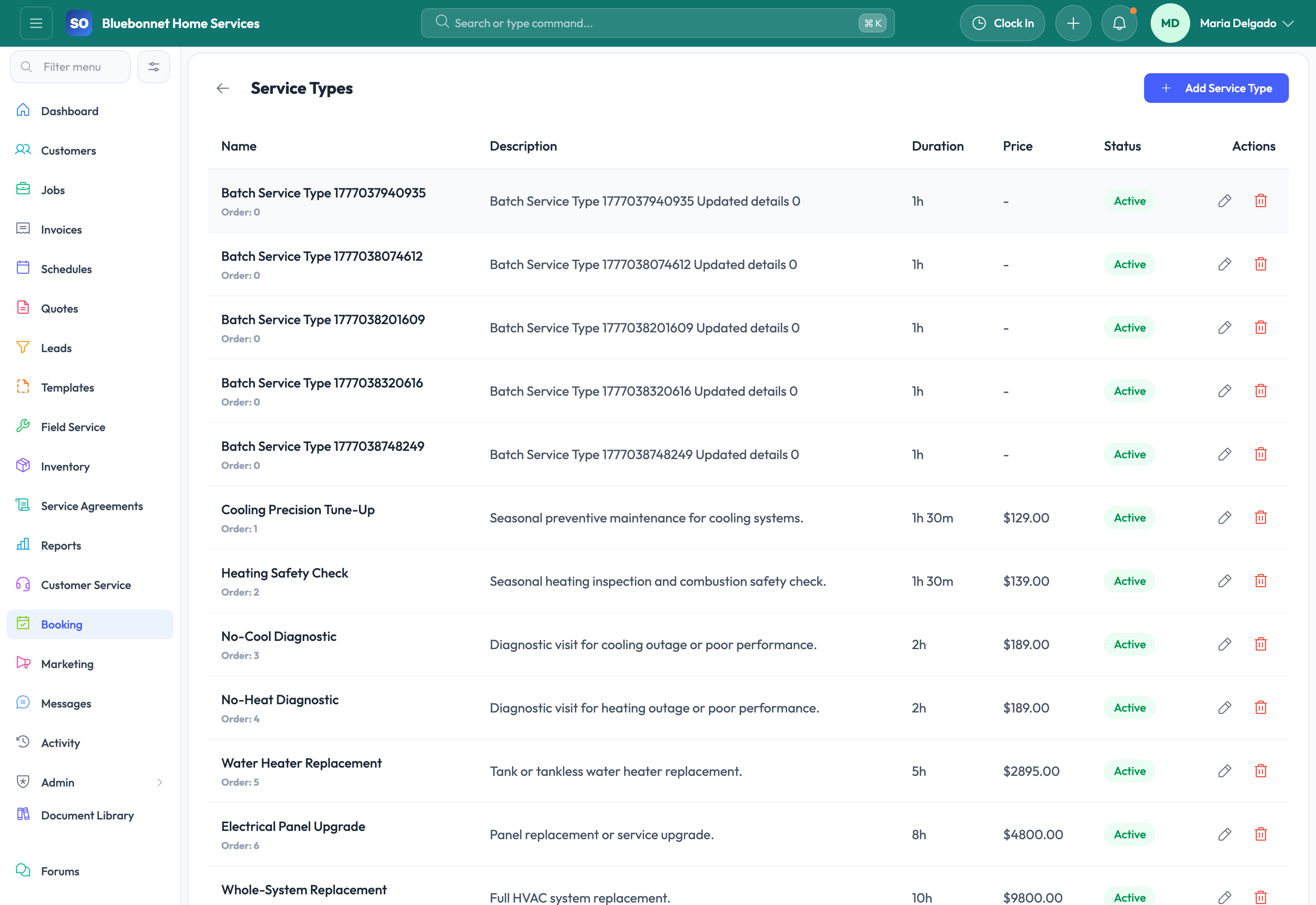
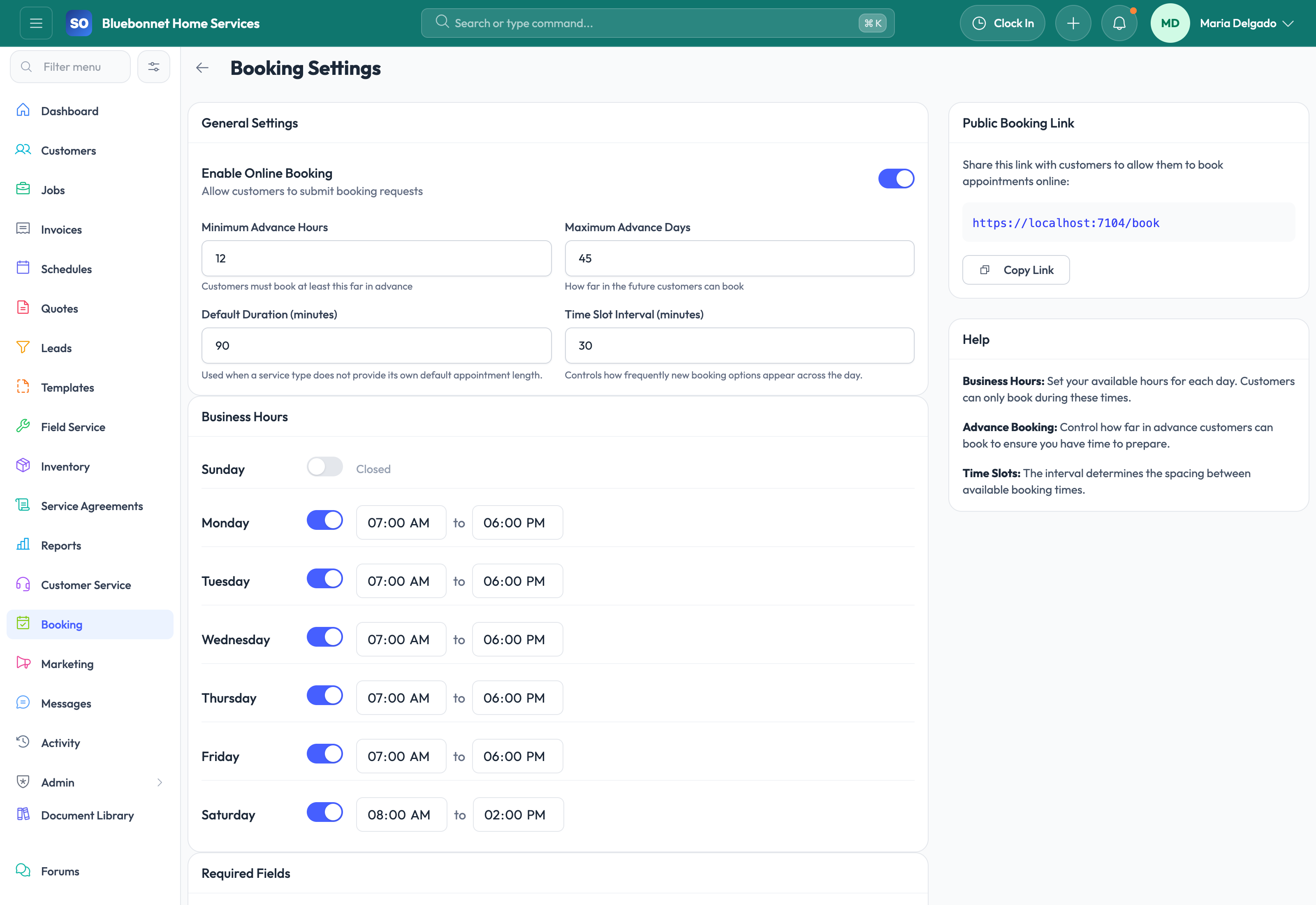
- Configure service types, request fields, availability rules, and portal settings.
- Decide which request types require office approval before scheduling.
- Prepare confirmation and follow-up communication templates.
Run the workflow
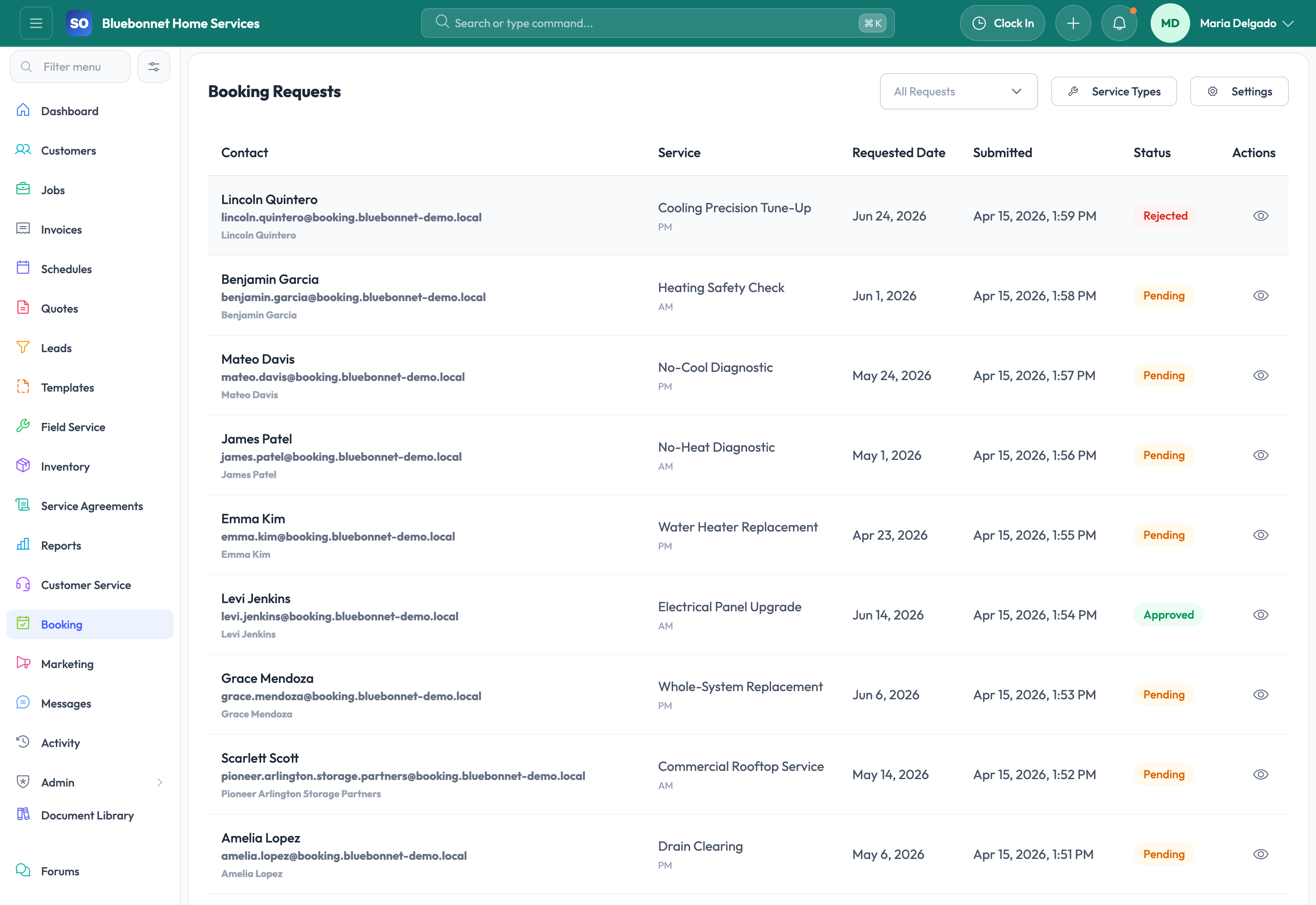
- Review new booking requests for service type, location, urgency, and customer details.
- Match the request to an existing customer or create a new customer record.
- Approve, decline, quote, or convert the request into a job or lead.
- Schedule accepted work and send confirmation through the appropriate channel.
- Use portal links for customer quote review, invoice payment, statements, or service updates.
Do not let this slip
- Portal requests are not auto-scheduled beyond capacity or skill constraints.
- Customer-entered details are verified before dispatch.
- Declined requests include a clear internal reason.
- Converted requests retain the original customer submission.
What it hands off to
- Customer Service for inbound triage.
- Customers for account matching.
- Scheduling and Dispatch for approved appointments.
- Jobs and Invoicing for downstream execution and payment.
See it with your process
Walk through booking and portal using the way your company works today.
No generic slide deck. Bring a real handoff, problem, or operating question and see how the workflow fits.