
See the business clearly
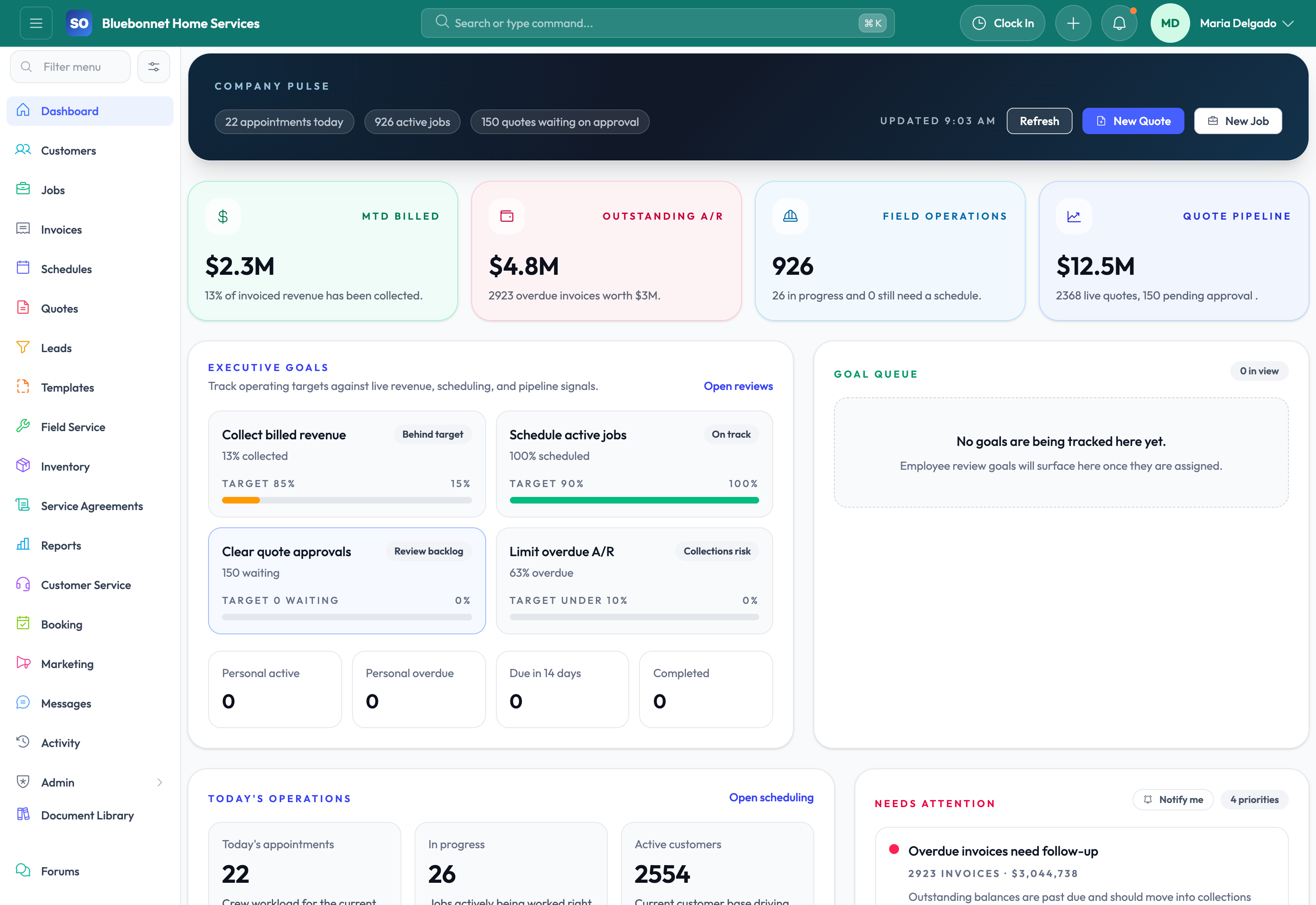
Start the day knowing what needs attention.
Daily operating visibility for owners, office managers, dispatch, and service leadership.
Useful to the people doing the work
Where dashboard fits
Owner
See the few operating signals that need a decision.
Department manager
Move from a trend into the records and owners behind it.
Office lead
Use live queues to turn review into same-day follow-up.
See dashboard in Service Opus
How the work moves
A practical way to run this workflow
Use the dashboard as the daily command center for triage, routing, and follow-up.
Who uses it
- Owners reviewing workload, revenue pressure, and operational risk.
- Dispatchers starting the day with schedule and job exceptions.
- Office managers watching leads, invoices, and customer follow-up.
Set it up right
- Confirm each team member has access to the widgets and modules they manage.
- Define what counts as urgent for leads, jobs, invoices, and callbacks.
- Review dashboard data early enough for schedule changes to matter.
Run the workflow
- Scan top metrics for workload, customer demand, open jobs, and receivables.
- Open today's schedule and identify jobs that need assignment, confirmation, or route review.
- Review recent job and lead activity for stalled handoffs.
- Open receivable or invoice queues that need collection action.
- Assign follow-up owners before the morning dispatch rhythm ends.
Do not let this slip
- Unassigned or overdue work has a named owner.
- High-priority appointments have technician assignments and customer context.
- Cash-flow exceptions have a next action.
- Dashboard signals are reviewed against live module records before major decisions.
What it hands off to
- Scheduling and Dispatch for appointment corrections.
- Jobs for operational follow-through.
- Invoicing and Payments for cash-flow cleanup.
- Reporting and Analytics for deeper trend review.
See it with your process
Walk through dashboard using the way your company works today.
No generic slide deck. Bring a real handoff, problem, or operating question and see how the workflow fits.