
Keep the shop organized
Keep every promise next to the record it belongs to.
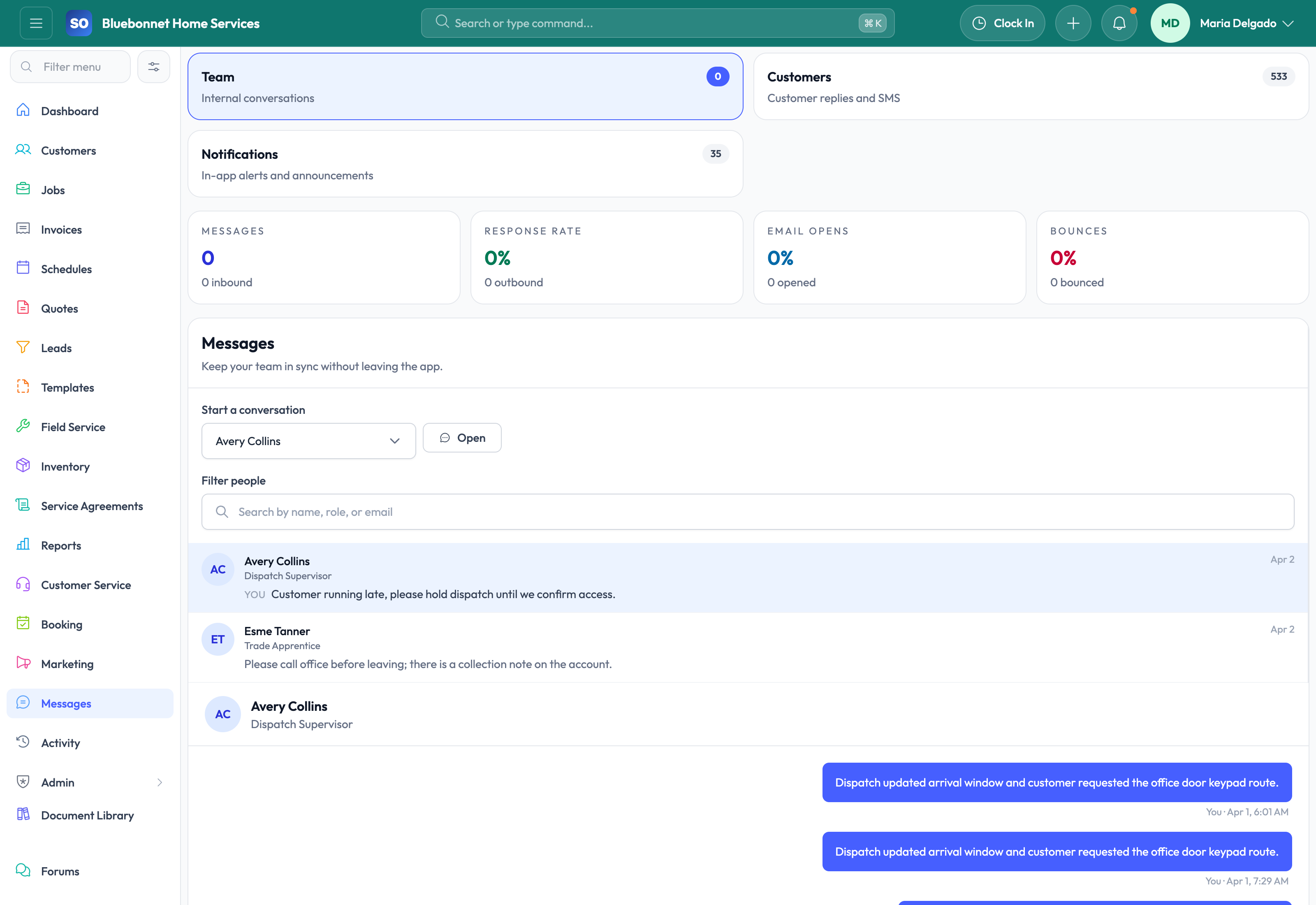
Customer messages, internal job communication, reminders, receipts, and communication history.
Useful to the people doing the work
Where communications fits
Office team
Keep shared work organized and easy for the next person to find.
Operations manager
Standardize handoffs and spot work that is waiting on someone.
Administrator
Maintain reliable structure without adding another side system.
See communications in Service Opus
How the work moves
A practical way to run this workflow
Maintain customer-facing and internal communication history around the work being done.
Who uses it
- Office users sending confirmations, reminders, receipts, and follow-up.
- Dispatchers coordinating schedule changes.
- Managers reviewing what was communicated and when.
Set it up right
- Set communication templates, sending rules, and ownership expectations.
- Confirm customer contact preferences and opt-out requirements.
- Define which messages should be linked to customers, jobs, quotes, or invoices.
Run the workflow
- Start from the customer, job, quote, invoice, or communication workspace.
- Choose the right contact and message template when available.
- Send updates for confirmations, reminders, quote follow-up, invoice delivery, or service changes.
- Review message history before making promises or escalating issues.
- Record internal coordination notes where they help the next team member.
Do not let this slip
- Messages go to the correct contact role.
- Customer-facing content is accurate and professional.
- Important responses are visible on the related operational record.
- Follow-up promises become tasks, leads, jobs, or schedule changes.
What it hands off to
- Customers for contact and preference data.
- Scheduling and Dispatch for appointment updates.
- Quotes and Invoicing for customer-facing documents.
- Templates for reusable content.
See it with your process
Walk through communications using the way your company works today.
No generic slide deck. Bring a real handoff, problem, or operating question and see how the workflow fits.