
Get paid and keep clean books
Keep QuickBooks or Xero without rebuilding every job by hand.
QuickBooks Online and Xero accounting connections, Stripe payments, provider health, mappings, sync queues, and external handoffs.
Useful to the people doing the work
Where integrations fit
Billing
Move accurate work records into invoices, payments, and follow-up.
Owner or controller
Review cash, provider exceptions, and financial handoffs without rebuilding the numbers.
Office manager
Keep customer and operational handoffs from creating finance cleanup.
See integrations in Service Opus
External financial systems
Keep QuickBooks Online or Xero as your accounting system of record
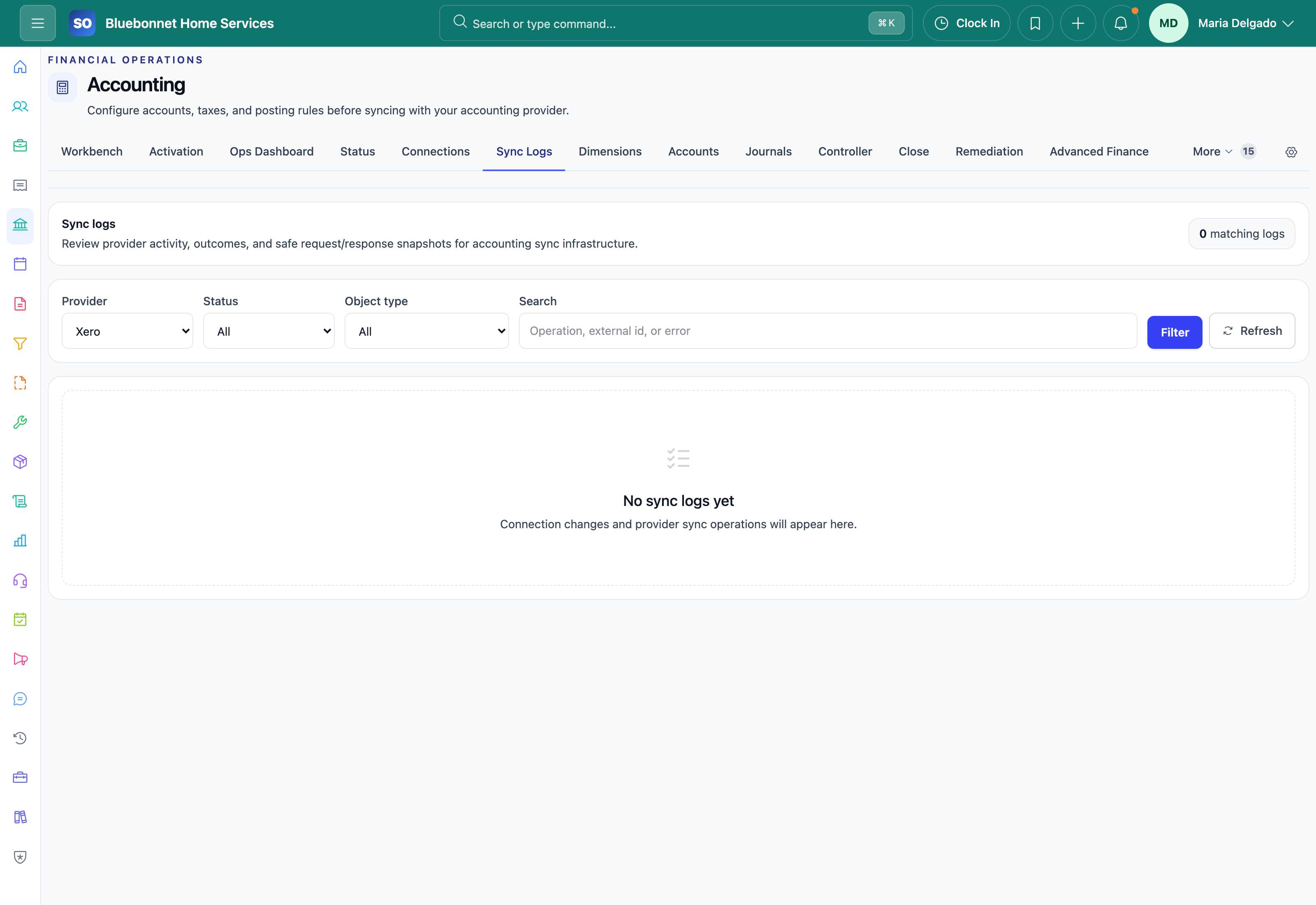
Service Opus prepares operational records for a controlled handoff. Connection health, mappings, queues, failures, and retry actions remain visible instead of disappearing behind a generic sync message.
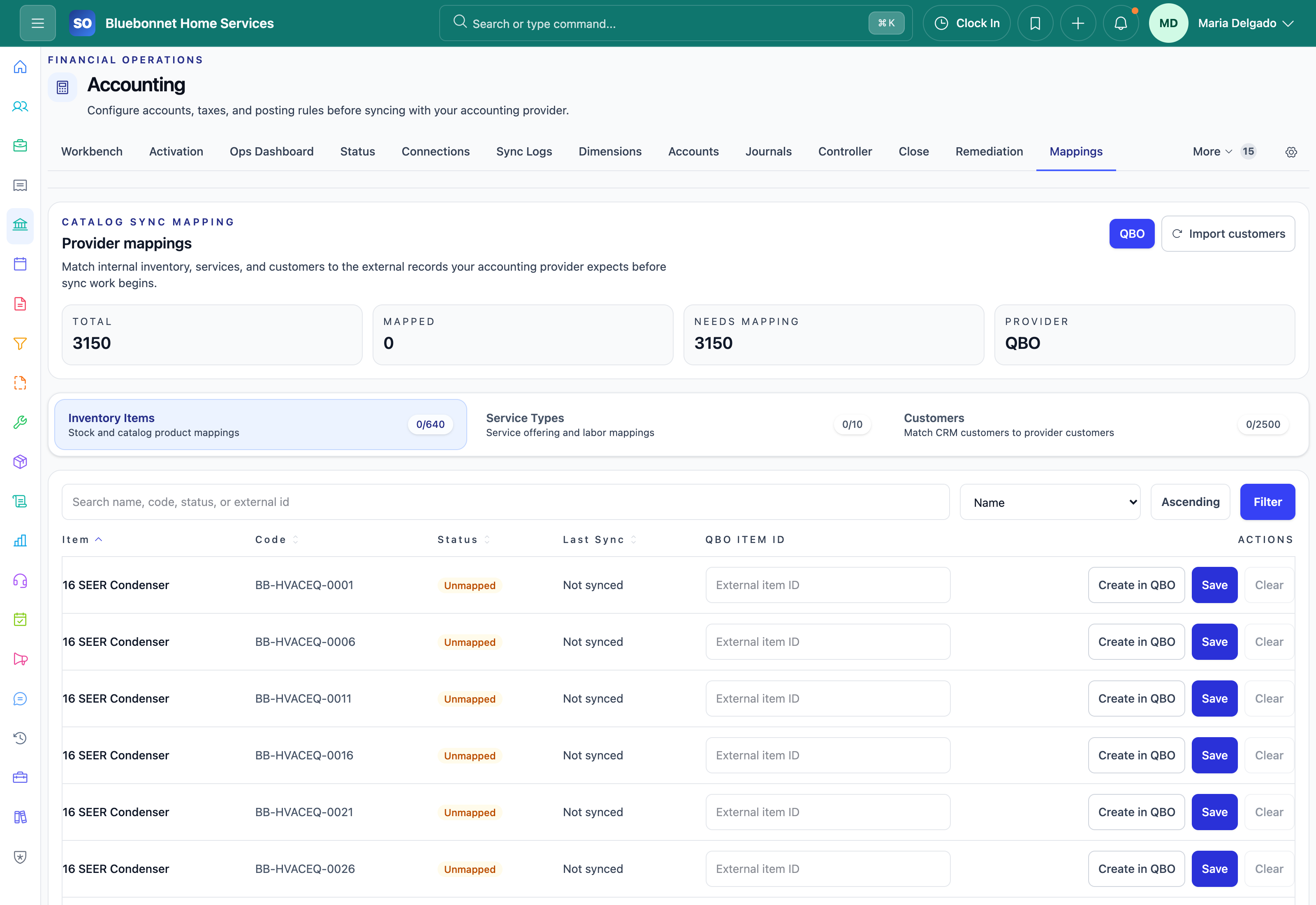
QuickBooks Online
Connect the authorized company, map accounts, taxes, customers, items, payment methods, and terms, then monitor invoice and payment exports from readiness through completion.
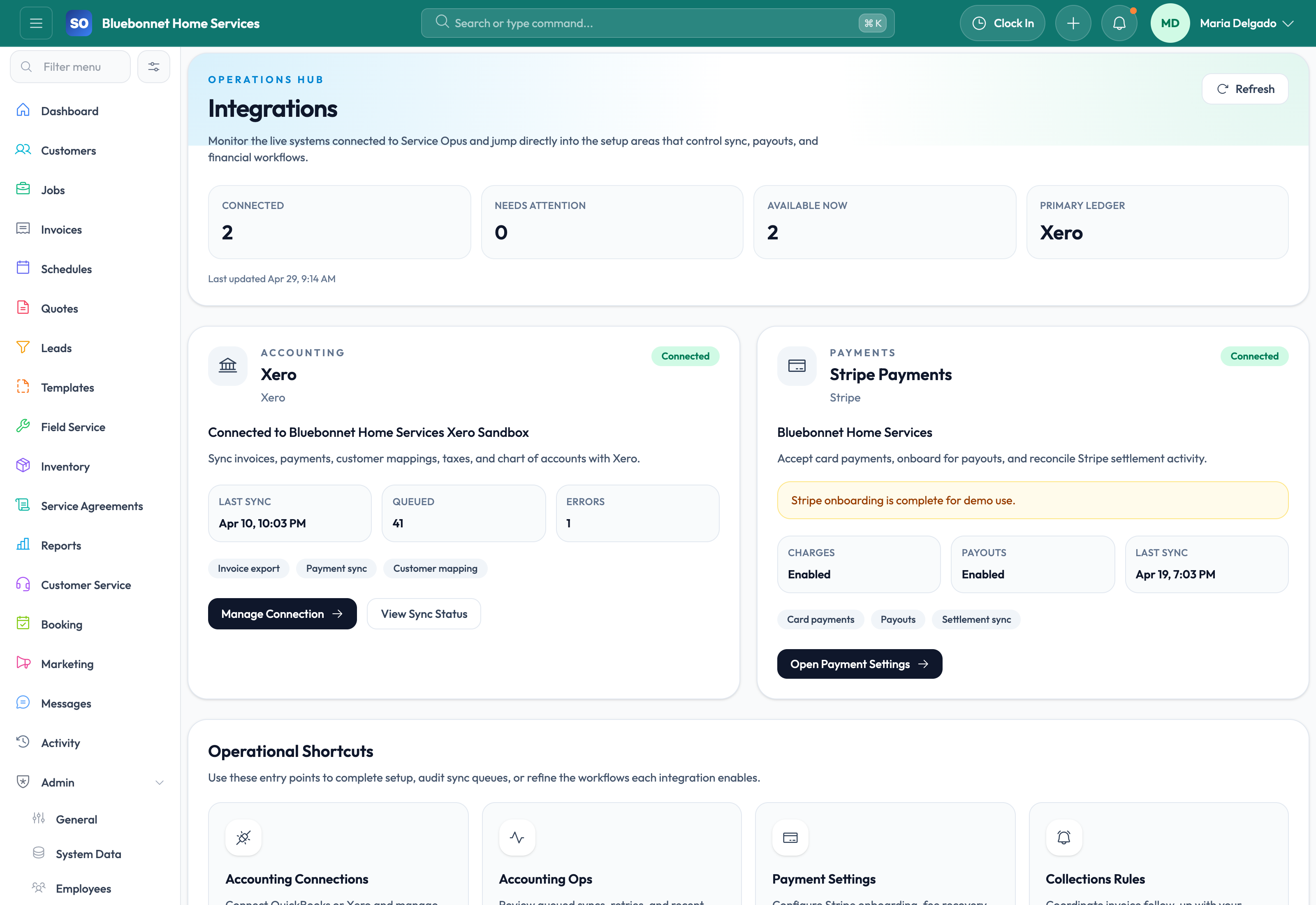
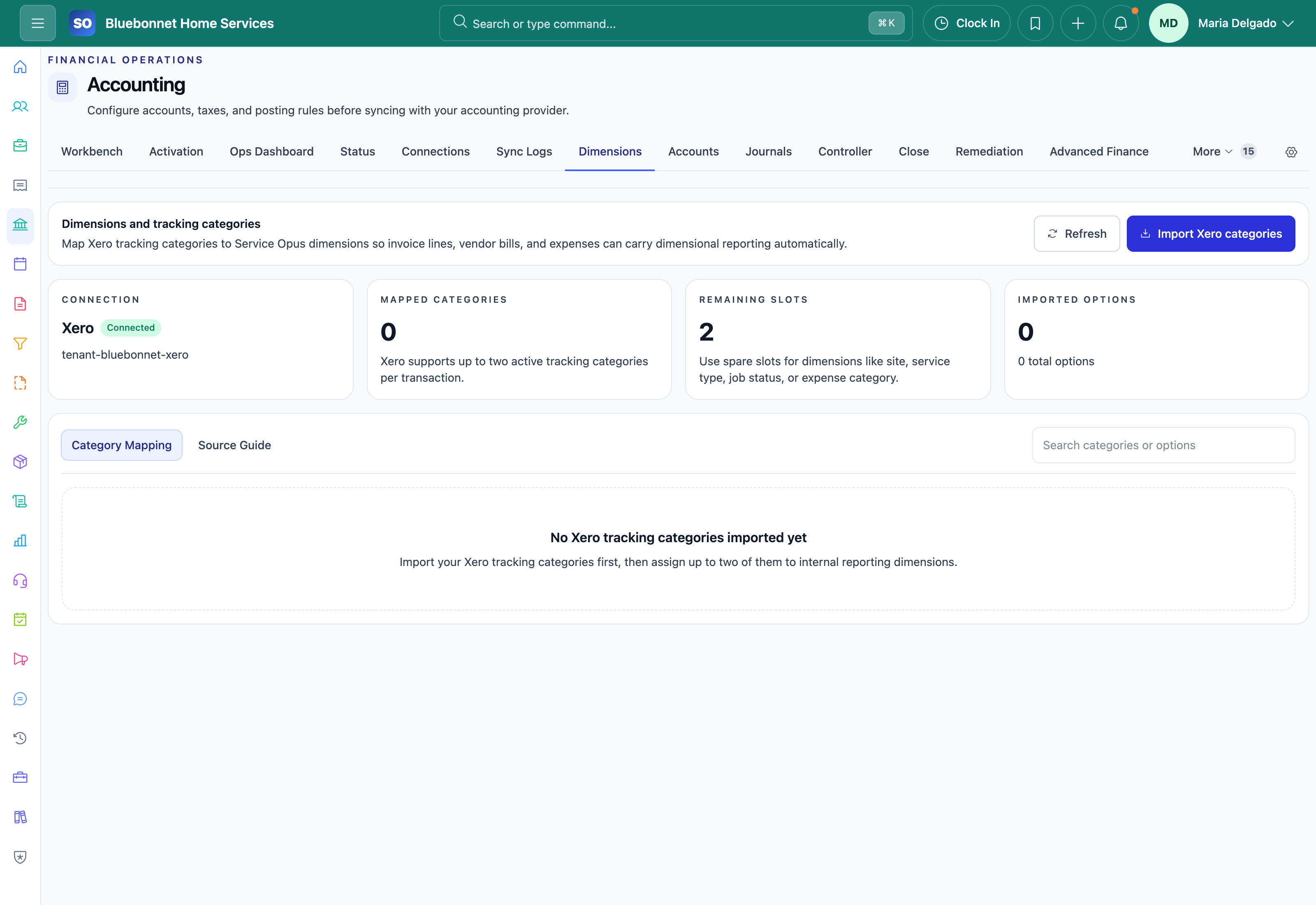
Xero
Connect the Xero tenant, align account codes, tax rates, contacts, items, payments, and tracking categories, and review provider-specific sync logs and exceptions.
Stripe
Use Stripe for customer payment collection and payout workflows while Service Opus keeps invoice, payment, refund, settlement, and reconciliation context connected to the work.
Controlled handoffs
Resolve the exception before retrying the record
- Confirm provider authorization and token status before enabling sync workflows.
- Complete customer, item, account, tax, payment, and terms mappings with controlled test records.
- Review blocked, queued, failed, and retry-ready records from the accounting operations workspace.
- Reconcile records in both systems before treating the connection as production-ready.
How the work moves
A practical way to run this workflow
Connect QuickBooks Online, Xero, and Stripe without creating duplicate work or unclear data ownership.
Who uses it
- Admins connecting QuickBooks Online, Xero, and Stripe.
- Finance users reviewing provider mappings, queues, and sync behavior.
- Managers confirming which external system owns each financial record.
Set it up right
- Identify which system owns each data type before connecting tools.
- Confirm credentials, permissions, provider settings, and sandbox or test options.
- Define who monitors failures, reconnections, and mapping changes.
Run the workflow
- Open the Integrations workspace and select QuickBooks Online, Xero, or Stripe.
- Authorize the connection with an account that has the right provider permissions.
- Complete required settings, mappings, taxes, payment rules, or default behavior.
- Run a controlled test before using the integration at full volume.
- Monitor sync status, logs, and exception queues after launch.
Do not let this slip
- Provider permissions match the intended workflow.
- Duplicate records are reviewed before broad sync.
- Failures have a named owner and resolution path.
- Data ownership rules are documented for users.
What it hands off to
- QuickBooks Online or Xero for the financial system of record.
- Invoicing and Payments for payment and billing integrations.
- Booking and Portal for customer-facing links.
- Settings and Config for provider defaults.
See it with your process
Walk through integrations using the way your company works today.
No generic slide deck. Bring a real handoff, problem, or operating question and see how the workflow fits.