
See the business clearly
Run the meeting from the numbers behind the work.
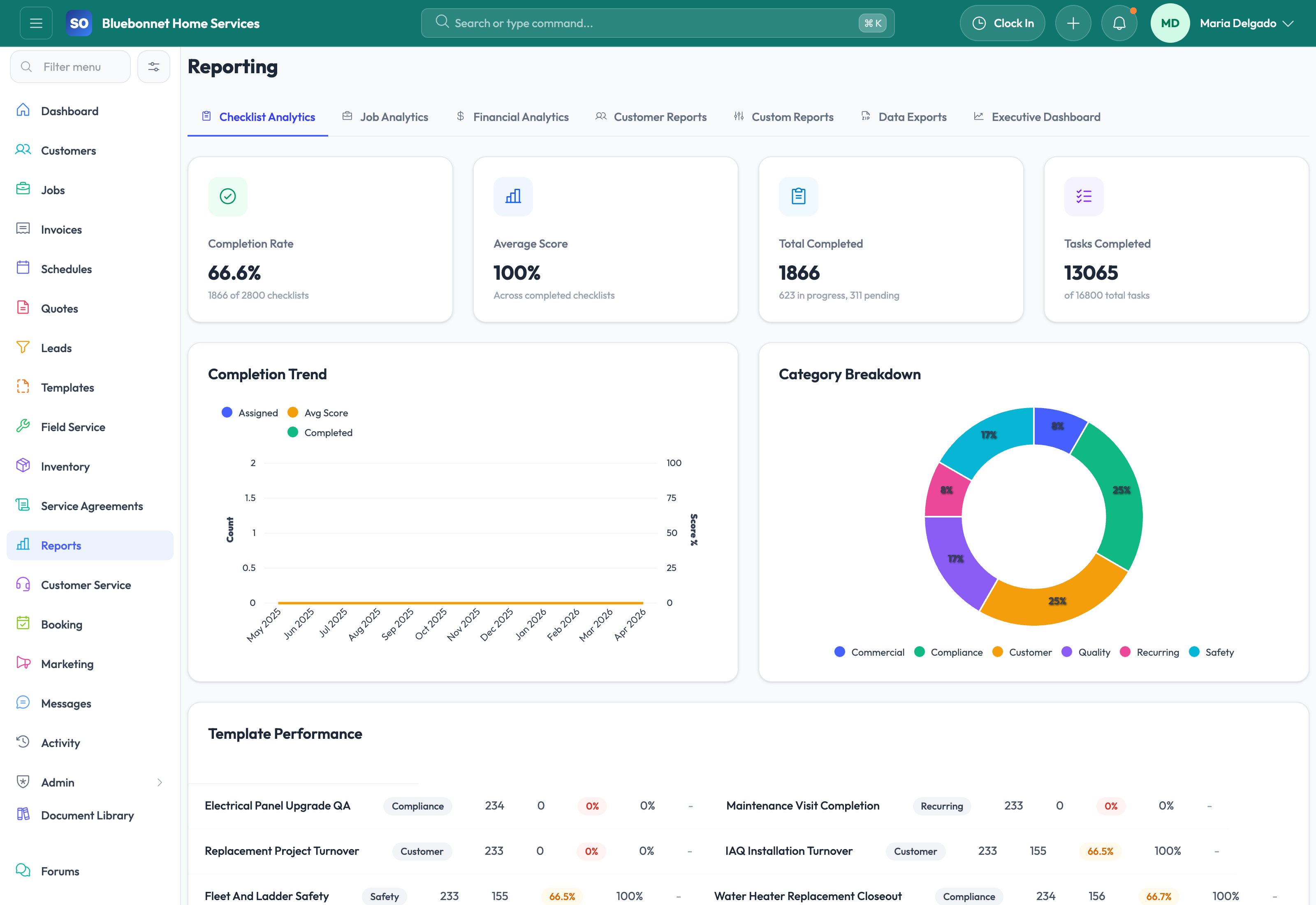
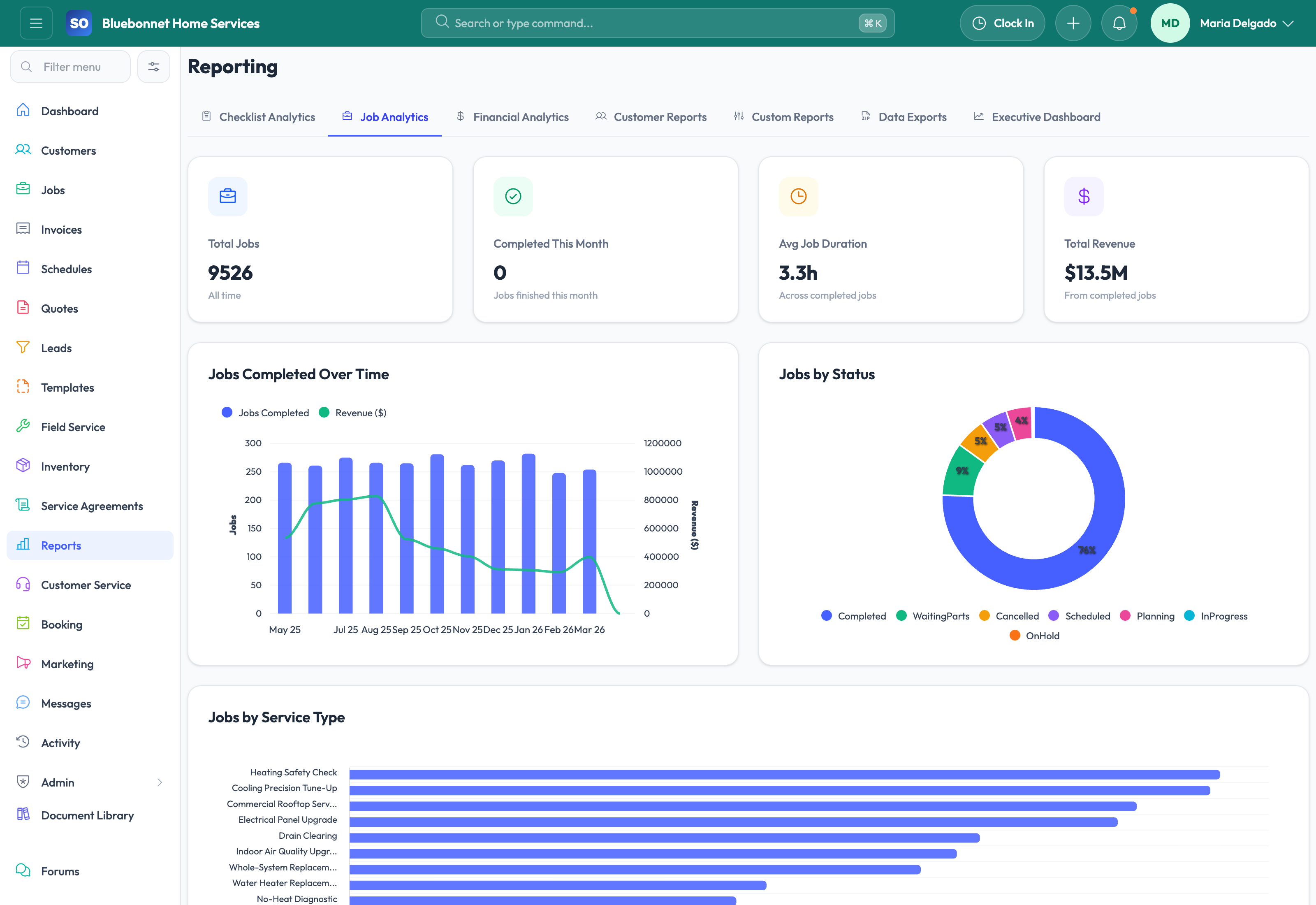
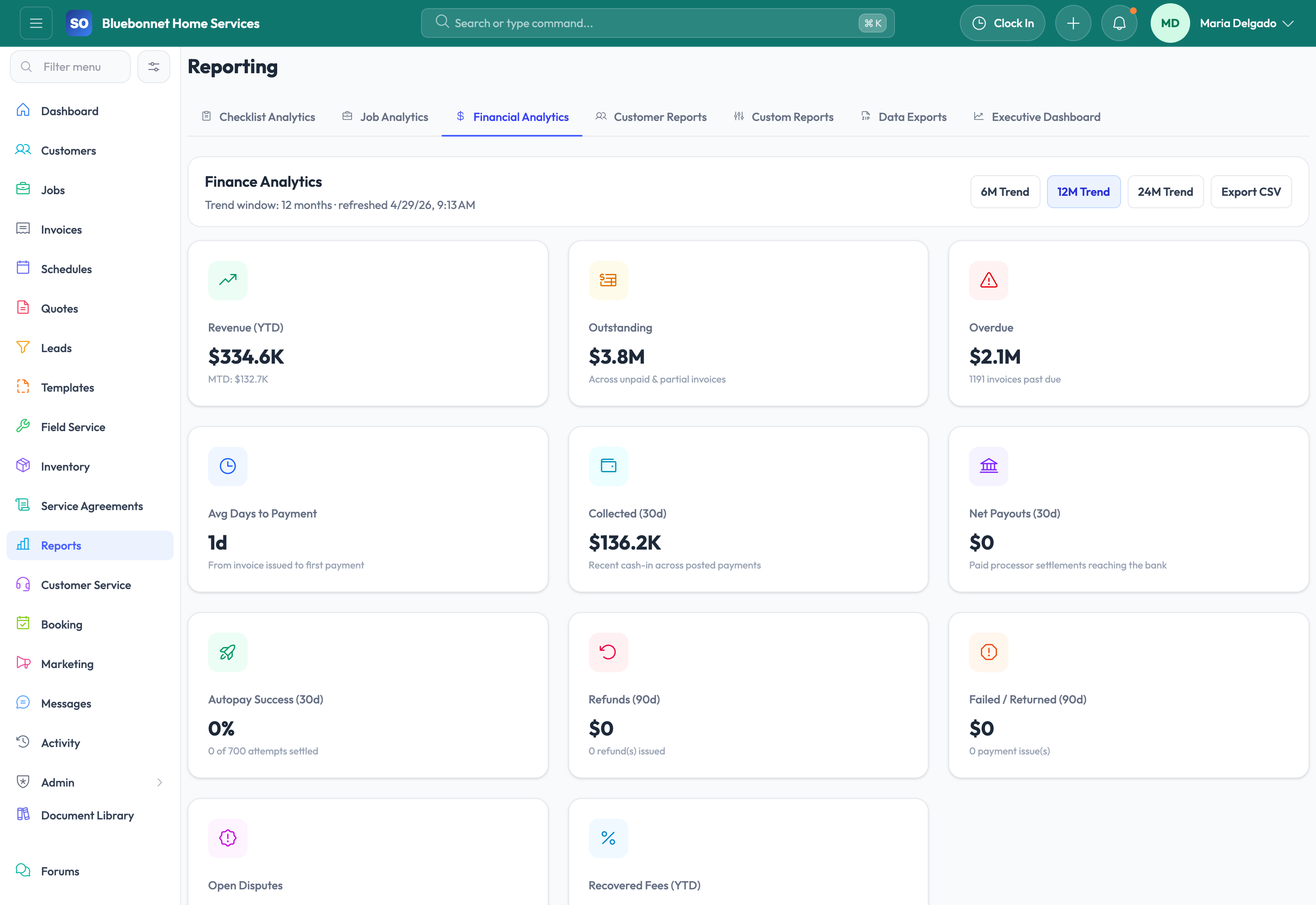
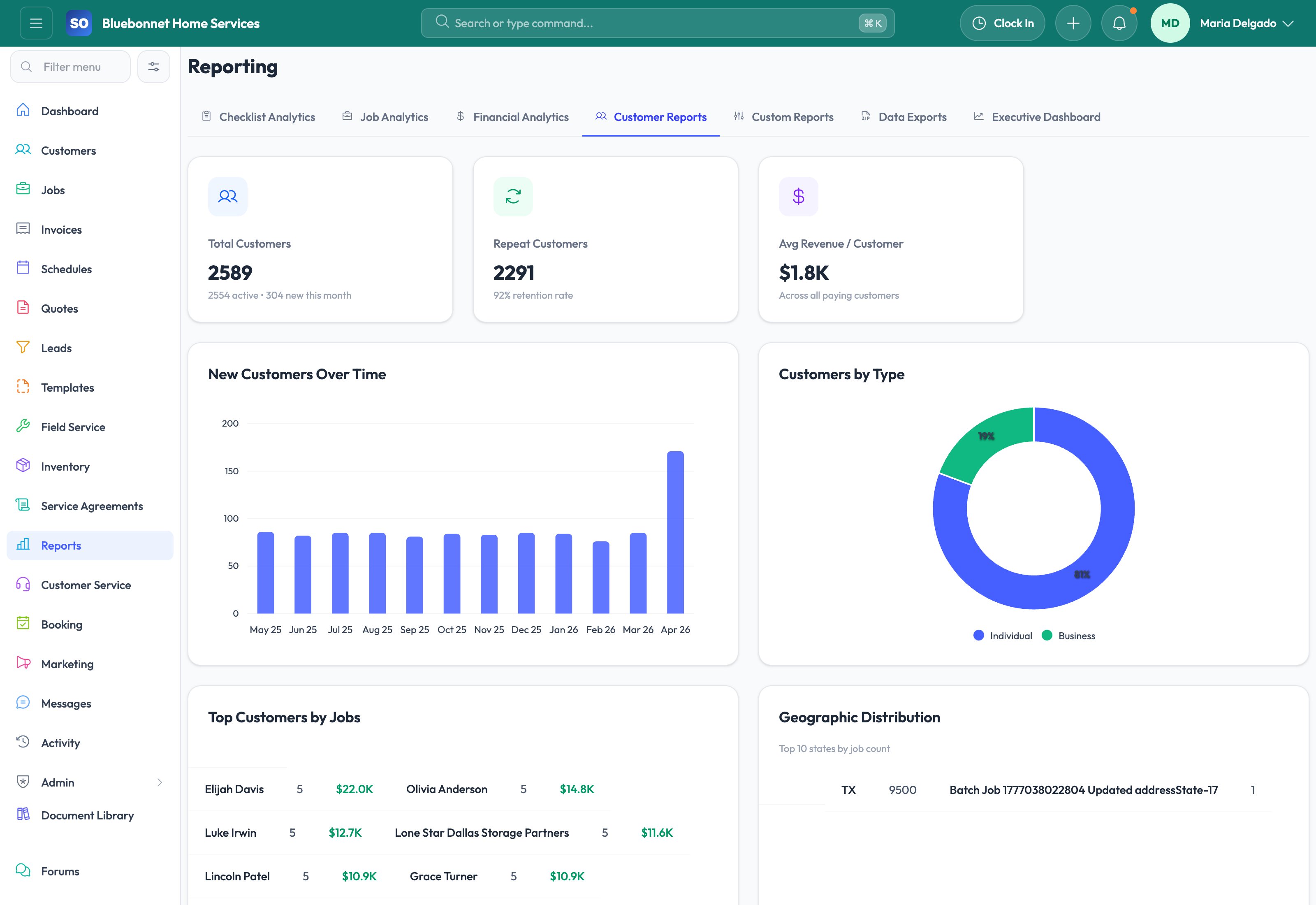
Operational, financial, customer, inventory, job, checklist, and executive reporting.
Useful to the people doing the work
Where reporting and analytics fits
Owner
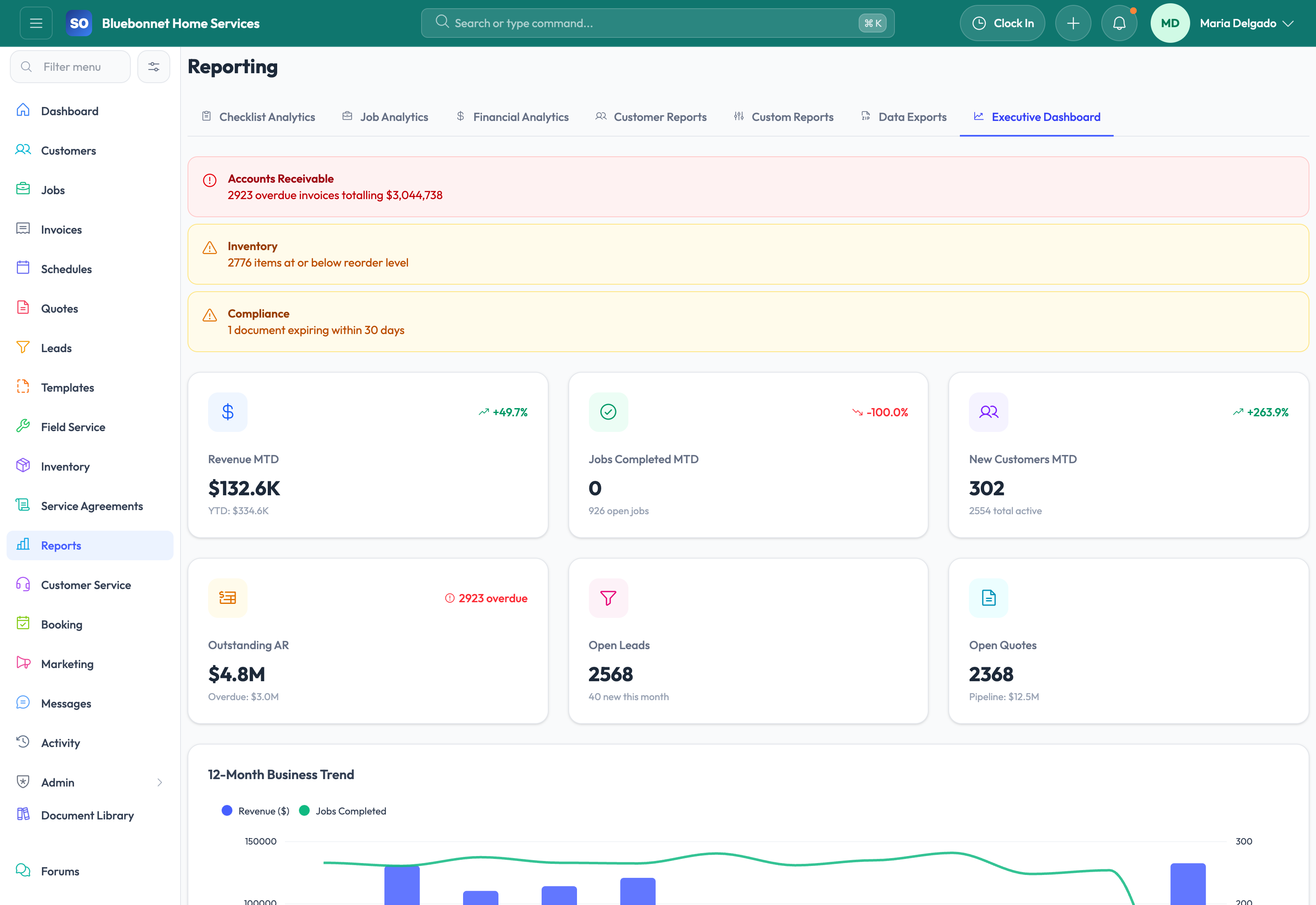
See the few operating signals that need a decision.
Department manager
Move from a trend into the records and owners behind it.
Office lead
Use live queues to turn review into same-day follow-up.
See reporting and analytics in Service Opus
How the work moves
A practical way to run this workflow
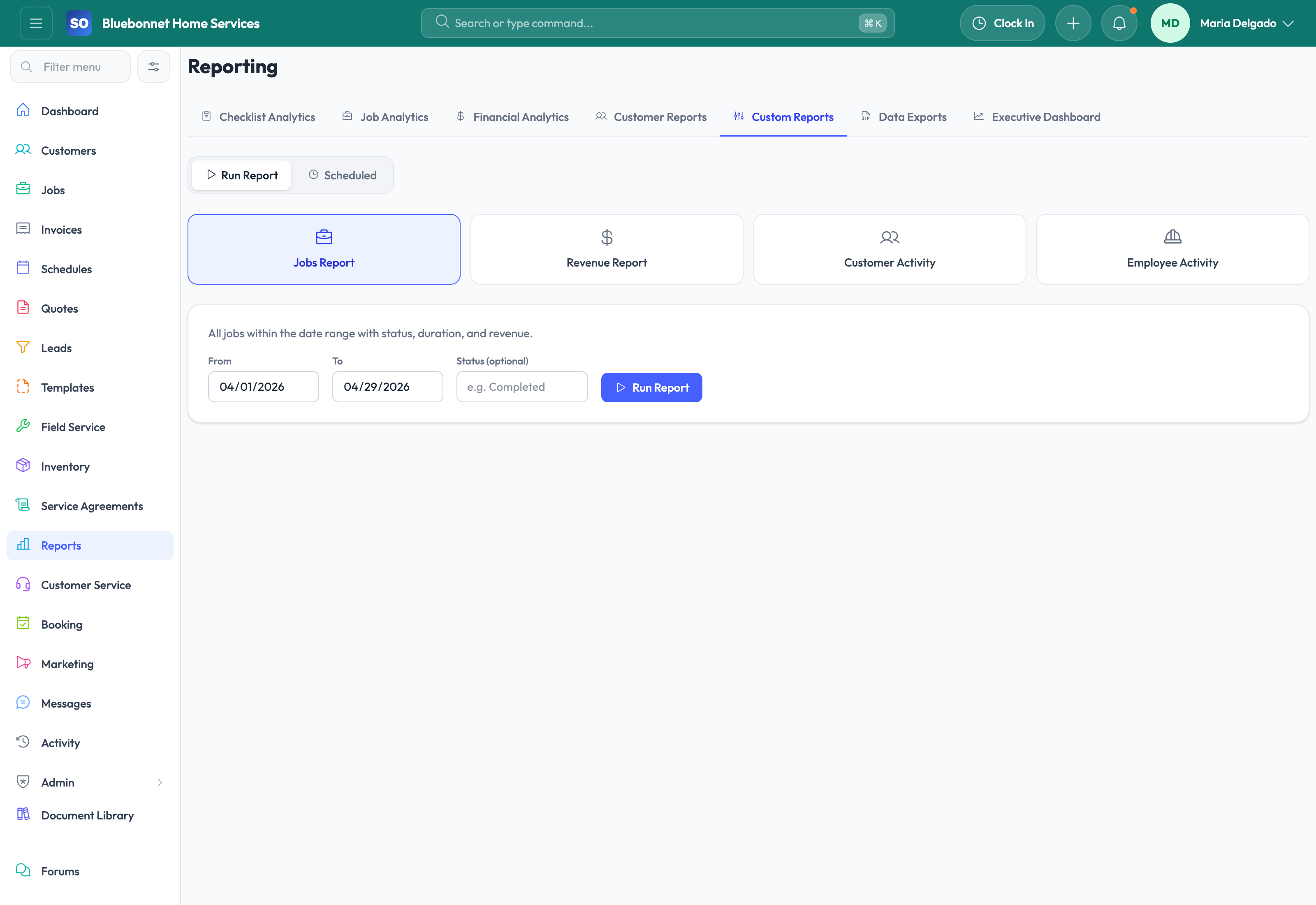
Use operational data to measure demand, throughput, cash flow, inventory, labor, and customer health.
Who uses it
- Owners and managers reviewing business performance.
- Department leads monitoring pipeline, schedule, billing, and field trends.
- Admins building custom reports for recurring decisions.
Set it up right
- Define the decisions each report should support before adding metrics.
- Confirm source data quality in customers, jobs, invoices, inventory, and time tracking.
- Set report access according to financial, employee, and customer sensitivity.
Run the workflow
- Start with executive dashboards for overall direction.
- Drill into job, financial, customer, checklist, or custom reports for root cause.
- Filter by date, team, source, status, location, or customer segment.
- Compare trends to operational changes such as staffing, marketing, pricing, or workflow updates.
- Turn report findings into process changes, assignments, or follow-up reviews.
Do not let this slip
- Metrics are understood before they are shared as targets.
- Reports use consistent date ranges and filters.
- Outliers are checked against source records.
- Financial and employee data is shared only with appropriate roles.
What it hands off to
- Dashboard for daily action.
- Jobs for throughput and completion data.
- Invoicing and Payments for cash-flow data.
- Customers and Marketing for retention, source, and growth data.
See it with your process
Walk through reporting and analytics using the way your company works today.
No generic slide deck. Bring a real handoff, problem, or operating question and see how the workflow fits.