
Run a better service day
Make the important steps hard to skip.
Reusable quality, inspection, safety, and closeout routines with completion analytics.
Useful to the people doing the work
Where checklists fits
Dispatch
Plan the work with the right customer, crew, and schedule context.
Technician or crew
See what was promised and leave complete proof behind.
Service manager
Catch exceptions before they become callbacks or billing delays.
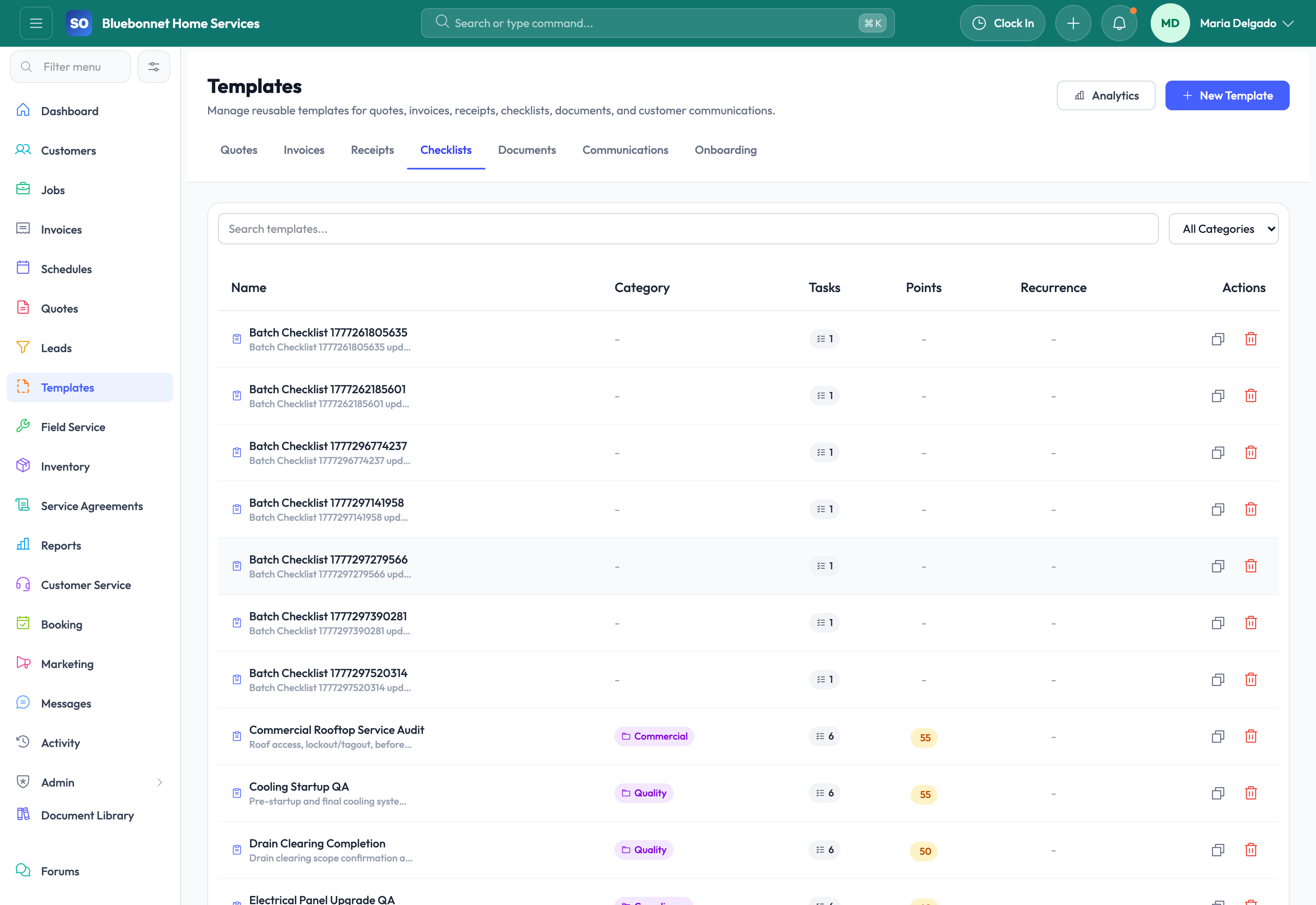
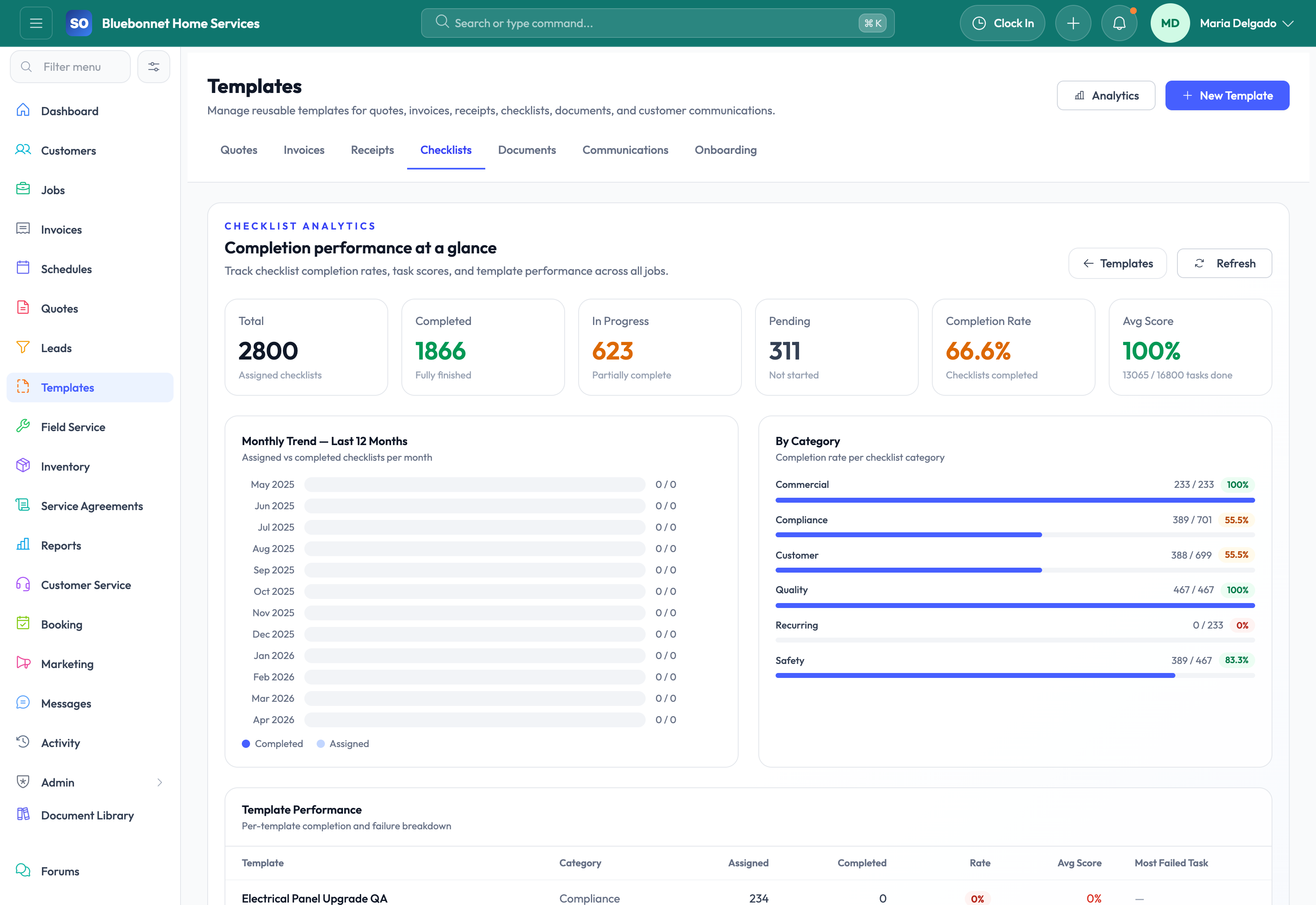
See checklists in Service Opus
How the work moves
A practical way to run this workflow
Standardize inspection, safety, quality, and closeout routines across teams and job types.
Who uses it
- Service managers defining required field steps.
- Technicians completing inspections or closeout tasks.
- Operations leaders reviewing quality and compliance trends.
Set it up right
- Create checklist templates by trade, service type, job status, or asset type.
- Decide which questions require evidence, notes, photos, or pass/fail responses.
- Set expectations for when checklist completion blocks closeout.
Run the workflow
- Choose or create the checklist template for the process.
- Attach the checklist to the job, service type, or workflow where it applies.
- Have technicians complete required items from the field.
- Review failed, skipped, or exception responses before closing the job.
- Use analytics to identify training needs or repeat quality issues.
Do not let this slip
- Required items cannot be bypassed without a reason.
- Photo or note evidence is attached where required.
- Failed checklist responses produce follow-up action.
- Templates are reviewed after process or compliance changes.
What it hands off to
- Jobs for assignment and closeout.
- Field Service for technician completion.
- Documents and Media for proof attachments.
- Reporting and Analytics for completion trends.
See it with your process
Walk through checklists using the way your company works today.
No generic slide deck. Bring a real handoff, problem, or operating question and see how the workflow fits.