Give customers secure self-service access for booking, reviewing work, paying invoices, and submitting requests without creating more back-office data entry.
See it in action
Customers increasingly expect to book service, approve work, pay online, and review updates without playing phone tag. At the same time, most service companies do not want to manage complex account provisioning just to share a quote or invoice. Service Opus uses secure, token-based portal experiences to give customers self-service where it helps most while keeping the office in control of the workflow.
Business Needs It Solves
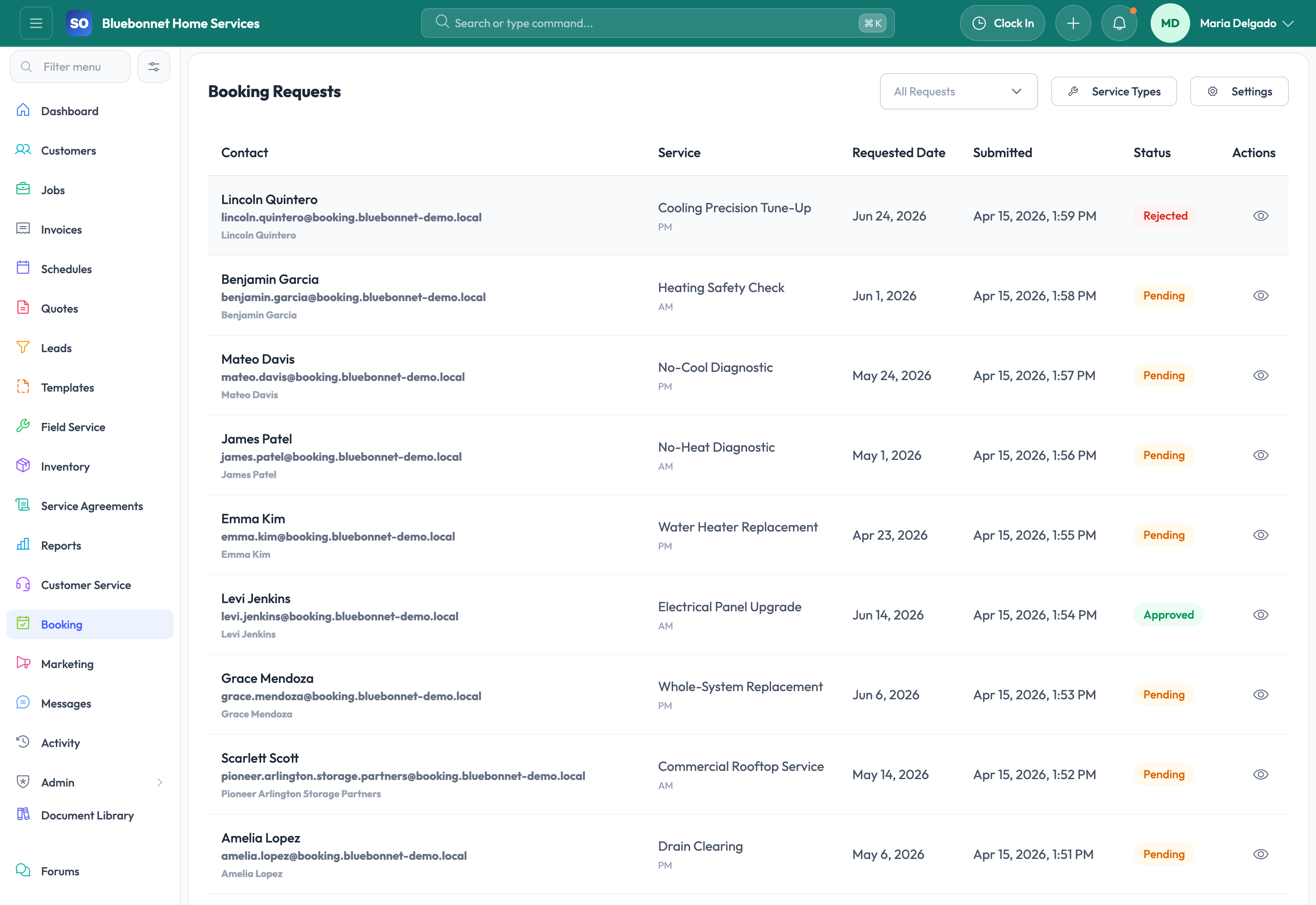
Capture online demand cleanly: Booking requests should land in a reviewable queue with enough detail to approve, reject, or convert into work.
Reduce back-office rekeying: Customer-submitted booking or service request data should move into the operational system without being rewritten by staff.
Create easier customer access: Customers need a secure way to review quotes, invoices, statements, jobs, receipts, and shared media without a heavy login process.
Support self-service payments and updates: Payment links, receipt access, and job progress sharing improve customer experience while reducing office calls.
How Service Opus Helps
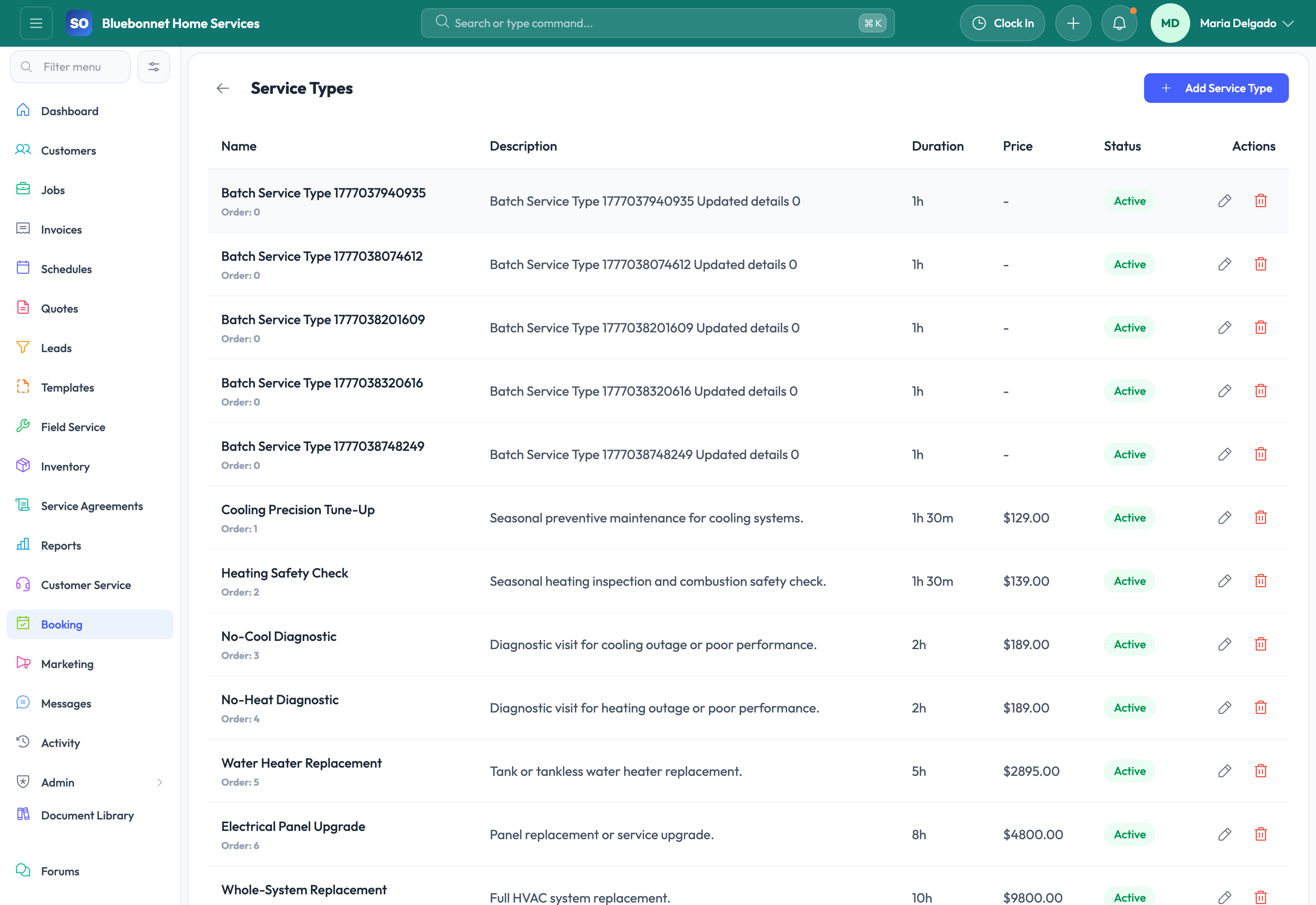
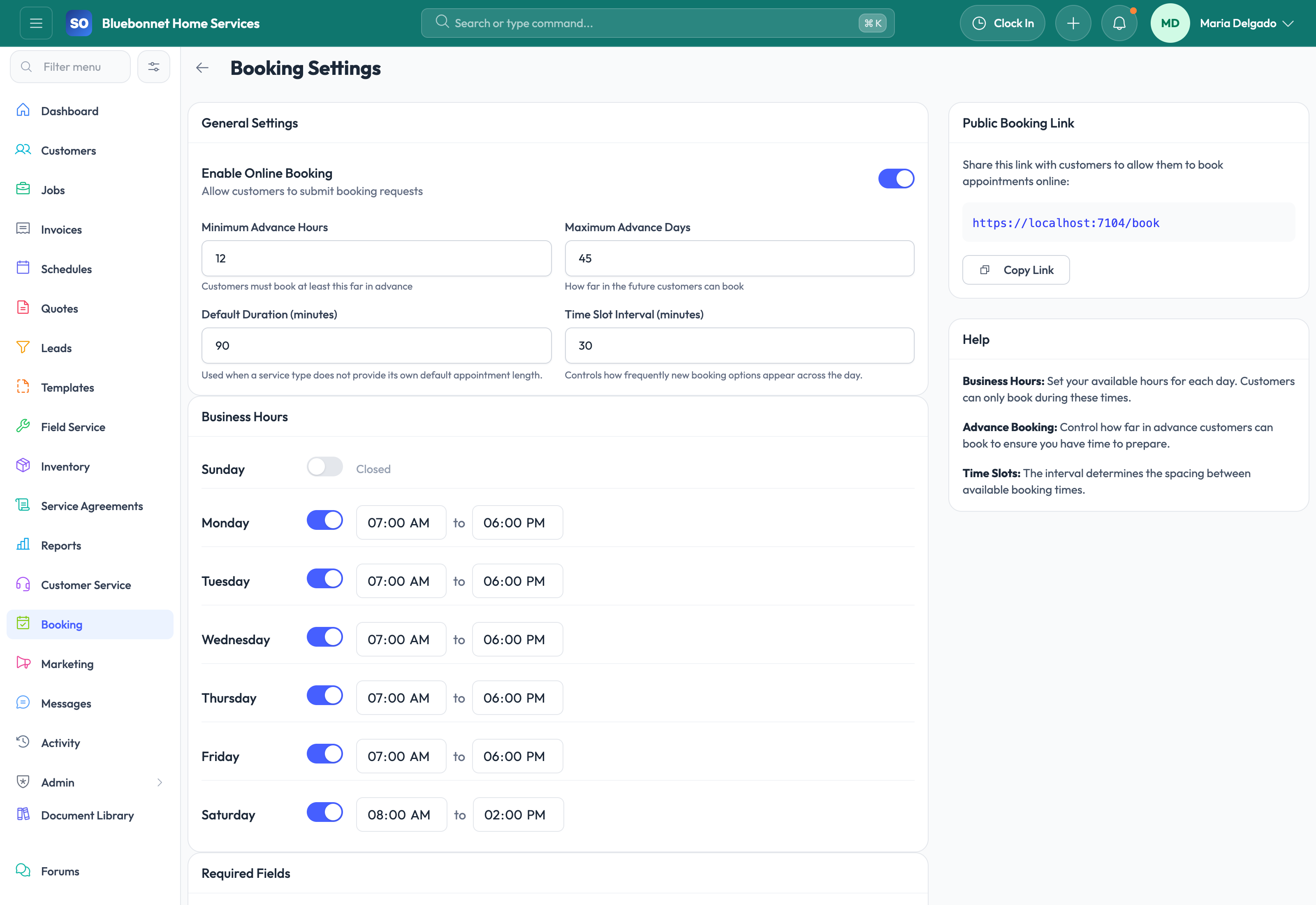
Booking settings and service types: Configure the services customers can request and the intake data the office needs to evaluate them.
Booking request workflow: Review pending requests, approve them into operational records, reject them with context, or cancel when needed.
Portal-linked customer experiences: Share secure links for quotes, invoices, jobs, statements, receipts, service requests, surveys, and photo galleries.
Self-service payment support: For configured companies, customers can move from invoice link to portal checkout and receipt access more smoothly.
Service request intake: Let existing customers submit follow-up requests through the portal while preserving the account context the office needs.
Low-friction security model: Token-based access allows customers to reach the right record without requiring a full application login for every interaction.
What This Means for Customer Experience
Booking and portal tools reduce the number of simple tasks that require a phone call while still keeping your team in charge of approvals and operations. They are especially helpful for companies that want a more modern customer experience without building a separate customer app.
Security: Portal experiences use record-specific, tokenized links so customers can access the right shared workflow without seeing the rest of your internal system.
User Guide
Let customers request service and interact through secure portal-style workflows while keeping office control.
Best For
Office teams reviewing inbound booking requests.
Customers submitting service needs or choosing appointment options.
Dispatchers converting requests into scheduled work.
Before You Start
Configure service types, request fields, availability rules, and portal settings.
Decide which request types require office approval before scheduling.
Prepare confirmation and follow-up communication templates.
Recommended Workflow
Review new booking requests for service type, location, urgency, and customer details.
Match the request to an existing customer or create a new customer record.
Approve, decline, quote, or convert the request into a job or lead.
Schedule accepted work and send confirmation through the appropriate channel.
Use portal links for customer quote review, invoice payment, statements, or service updates.
Review Checklist
Portal requests are not auto-scheduled beyond capacity or skill constraints.
Customer-entered details are verified before dispatch.
Declined requests include a clear internal reason.
Converted requests retain the original customer submission.
Common Handoffs
Customer Service for inbound triage.
Customers for account matching.
Scheduling and Dispatch for approved appointments.
Jobs and Invoicing for downstream execution and payment.
Ready to apply this workflow?
Use the guide to evaluate fit, then start a trial or talk through how Service Opus maps to your team, trade, and current operating process.