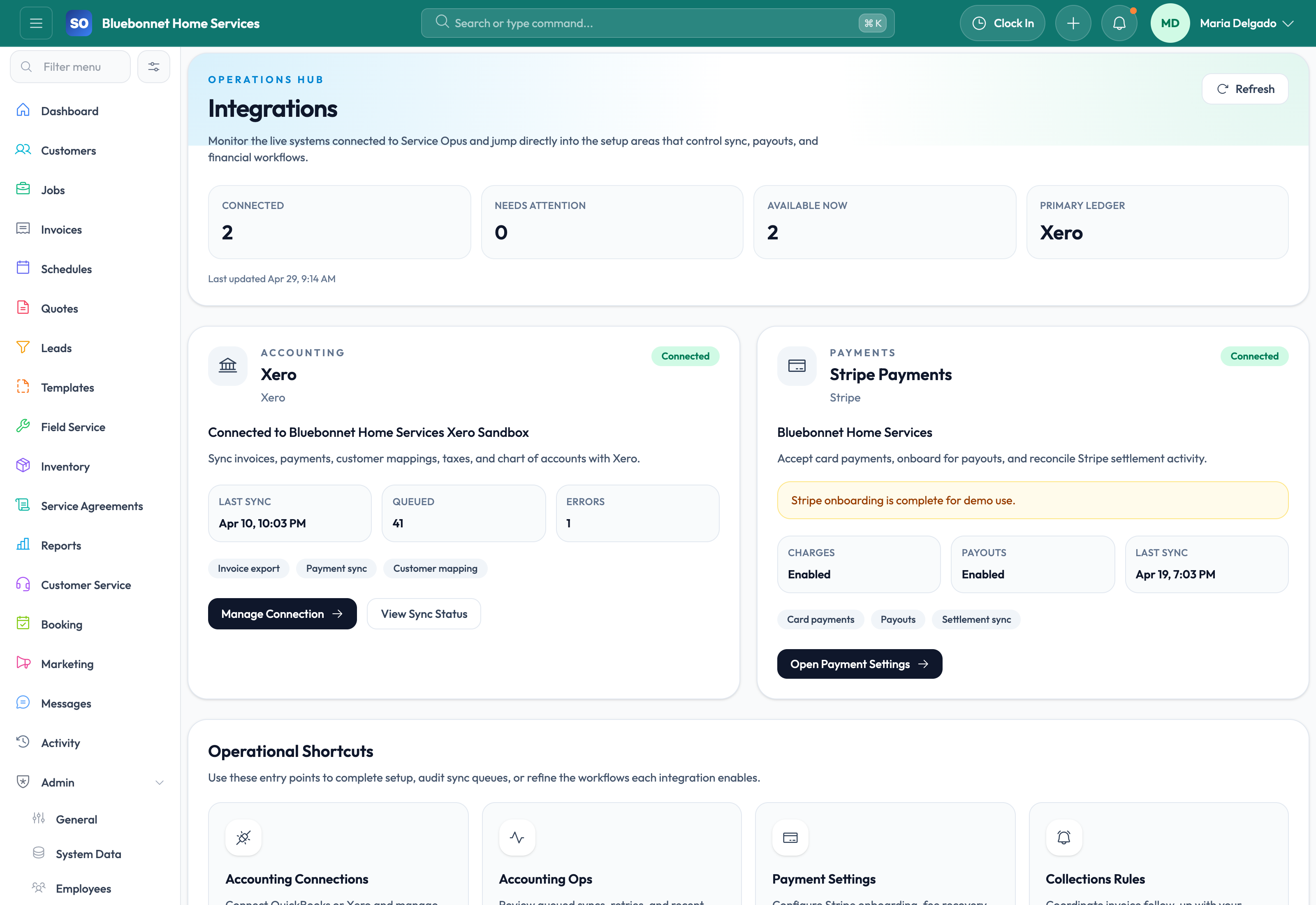
Connect Service Opus to the finance, payment, mapping, and customer-facing tools that support your operating workflow.
See it in action
Integrations are only useful when they reduce duplicate entry instead of creating more complexity. Service Opus focuses on the connections that matter most for field-service businesses: accounting sync, payment processing, mapping and routing, communications delivery, and customer-facing portal flows that extend the core platform.
Business Needs It Solves
Less duplicate entry: Customers, invoices, payments, and catalog data should not be maintained manually in multiple systems.
Better financial continuity: Accounting and payment platforms need to stay connected to operational billing and receivables workflows.
Smoother day-of-service execution: Dispatch and field teams benefit from mapping, route optimization, and portal-linked customer communication.
Cleaner intake and outreach: Public capture, booking, and communications tools work better when they feed the same operating system.
How Service Opus Helps
Accounting integrations: Use QuickBooks Online for richer import, export, mapping, and repair workflows today, while Xero-ready connection and provider settings support teams planning for that ecosystem.
Payment integration: Support Stripe-connected invoice checkout, payment links, refunds, receipts, saved cards, and related portal payment experiences.
Mapping and route intelligence: Use Google Maps-powered route optimization and location-aware dispatch support to improve field efficiency.
Communications delivery: Email settings and related services power quote delivery, invoice emails, appointment reminders, and receipt workflows.
Portal and intake integration: Lead capture, public webhook or embed intake, customer portal links, booking flows, surveys, and media sharing all extend the platform outward without leaving the Service Opus record model.
Operator visibility: Connection state, sync logs, and mapping views help office teams trust the integrations they rely on.
What Good Integration Strategy Looks Like
Service Opus works best when integrations are used to strengthen the core workflow, not replace it. The strongest pattern is to keep customer, job, invoice, and operational truth in Service Opus, then connect outward to finance, payments, maps, and customer-facing delivery where those external tools add clear value.
Integration Readiness Checklist
Choose the system of record: Decide which data should originate in Service Opus and which external systems should only receive synced records.
Validate mappings first: Review customer, catalog, item, tax, payment, and account mappings before running large accounting or payment syncs.
Test one workflow end to end: Use a sample customer, quote, job, invoice, payment, and accounting sync before rolling the integration out to the whole office.
Monitor logs after launch: Review connection state and sync logs daily during the first week, then include integration exceptions in the weekly management rhythm.
Escalate with evidence: When contacting support, include the provider, record ID, sync direction, timestamp, and the message shown in the log.
Setup order: Start with core finance and payment connections, then validate mappings, logs, and portal behavior before expanding into broader automation or customer-facing workflows.
User Guide
Connect Service Opus to external systems without creating duplicate work or unclear data ownership.
Best For
Admins connecting accounting, payments, maps, and portal-related services.
Finance users reviewing provider sync behavior.
Managers planning future integration workflows.
Before You Start
Identify which system owns each data type before connecting tools.
Confirm credentials, permissions, provider settings, and sandbox or test options.
Define who monitors failures, reconnections, and mapping changes.
Recommended Workflow
Open the integration area and select the provider or connected surface.
Authorize the connection with an account that has the right provider permissions.
Complete required settings, mappings, taxes, payment rules, or default behavior.
Run a controlled test before using the integration at full volume.
Monitor sync status, logs, and exception queues after launch.
Review Checklist
Provider permissions match the intended workflow.
Duplicate records are reviewed before broad sync.
Failures have a named owner and resolution path.
Data ownership rules are documented for users.
Common Handoffs
Accounting for QuickBooks and Xero workflows.
Invoicing and Payments for payment and billing integrations.
Booking and Portal for customer-facing links.
Settings and Config for provider defaults.
Ready to apply this workflow?
Use the guide to evaluate fit, then start a trial or talk through how Service Opus maps to your team, trade, and current operating process.