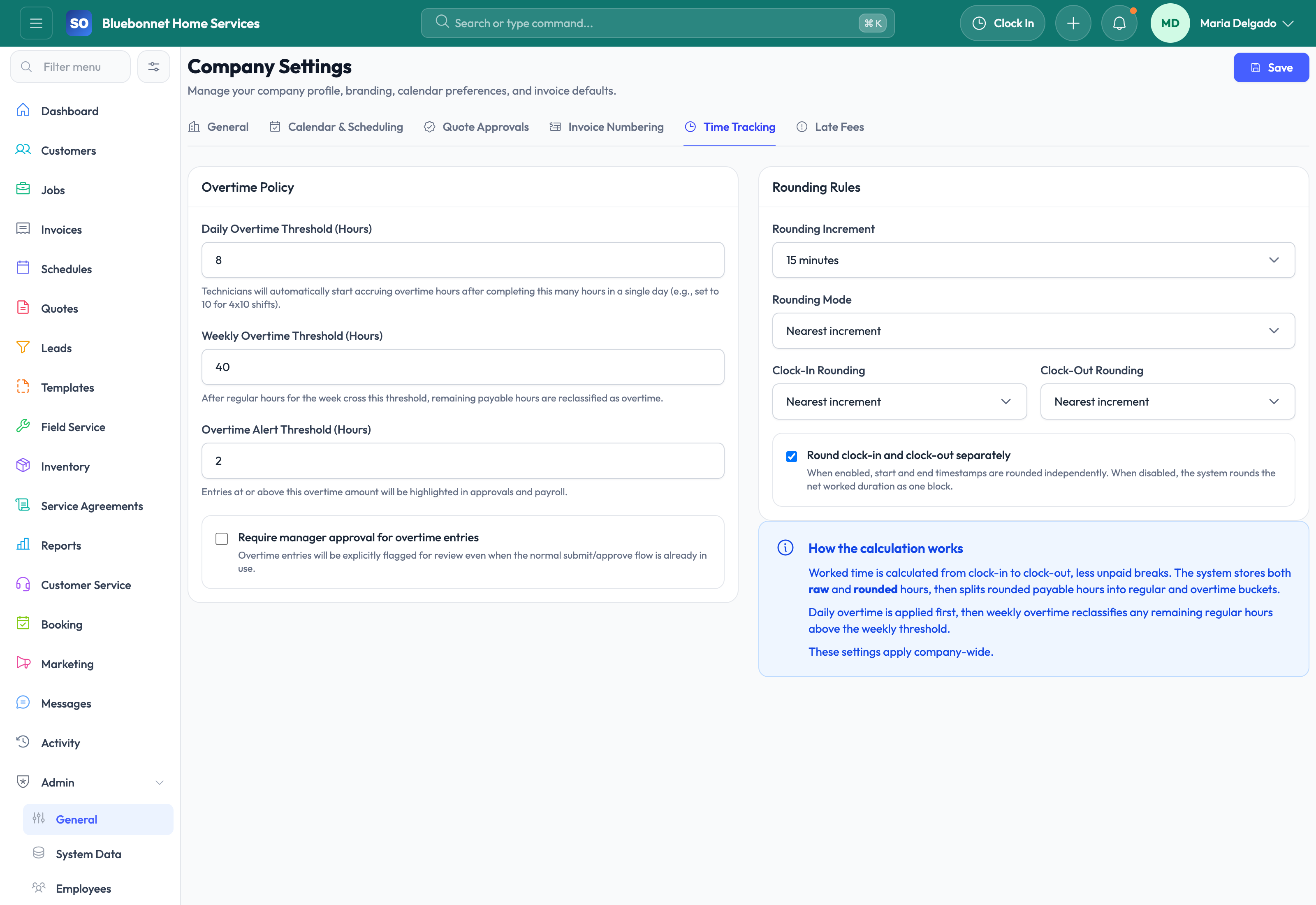
Shape Service Opus around the way your business actually works so the platform supports your process instead of forcing a generic one.
See it in action
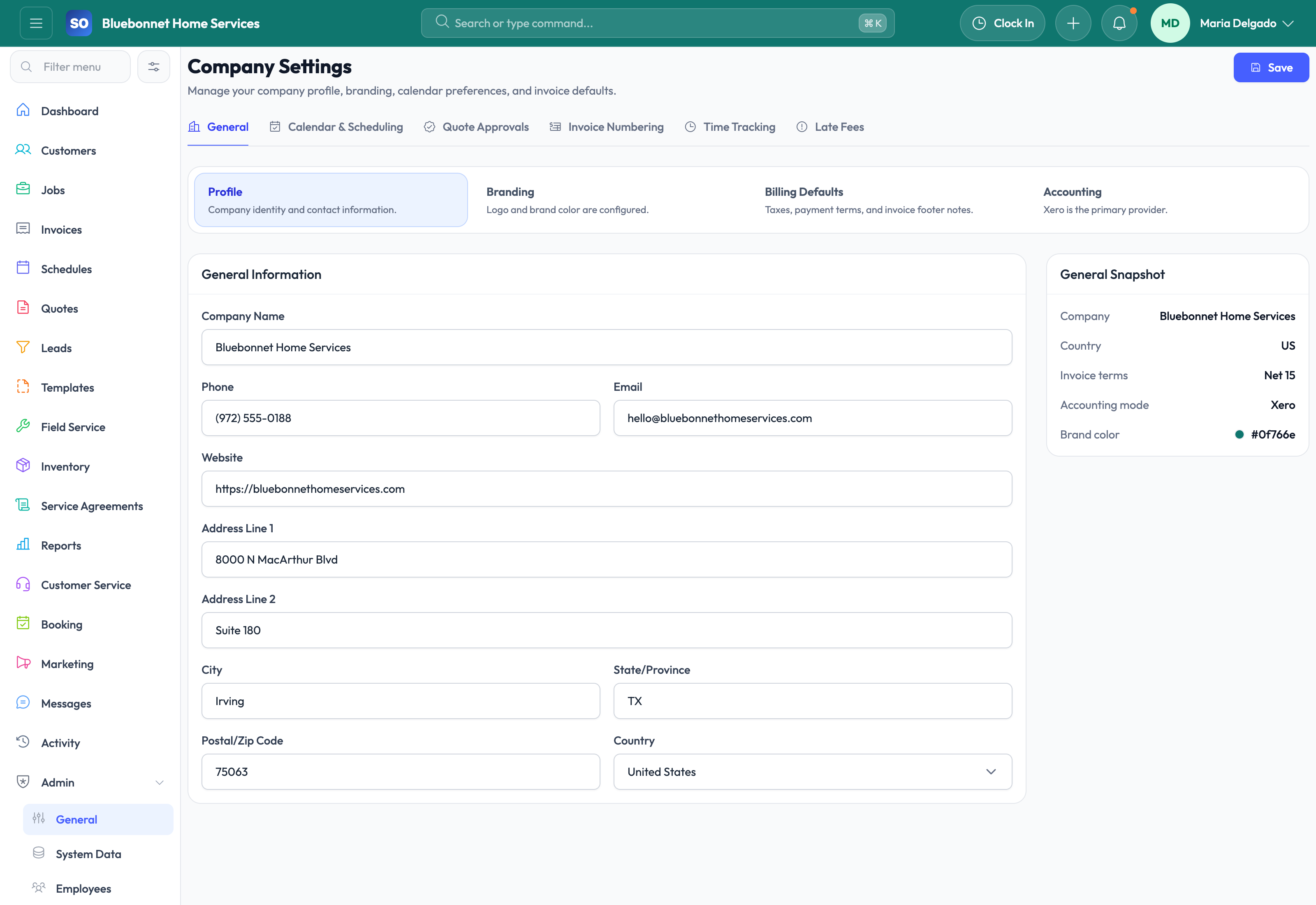
Every trades business has its own pricing logic, approval rules, branding, accounting defaults, team structure, and operational language. Settings are where Service Opus becomes your system rather than just a standard product. The stronger the setup, the more reliable your downstream workflows become.
Business Needs It Solves
Make the platform fit your company: Terminology, defaults, numbering, branding, and permissions should reflect how your team already works.
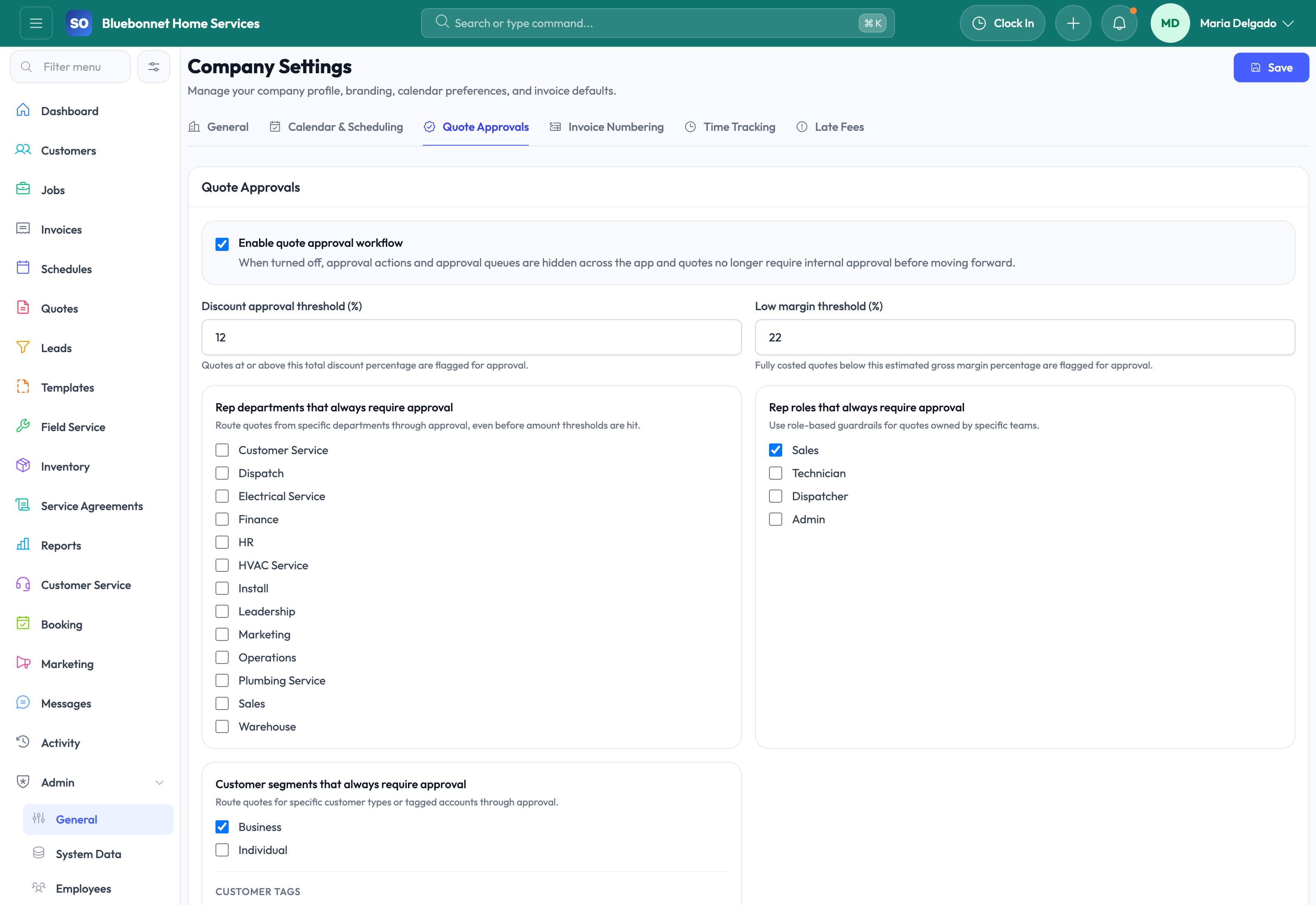
Control access and responsibility: Different users need different permissions, approval rights, and operational visibility.
Reduce avoidable errors: Good defaults for accounting, communications, scheduling, collections, and templates prevent repeated manual mistakes.
Create a scalable foundation: Growth is easier when rules, policies, and reusable settings live in the system instead of in tribal knowledge.
How Service Opus Helps
User, role, and permission setup: Control who can view, edit, approve, or administer different parts of the platform.
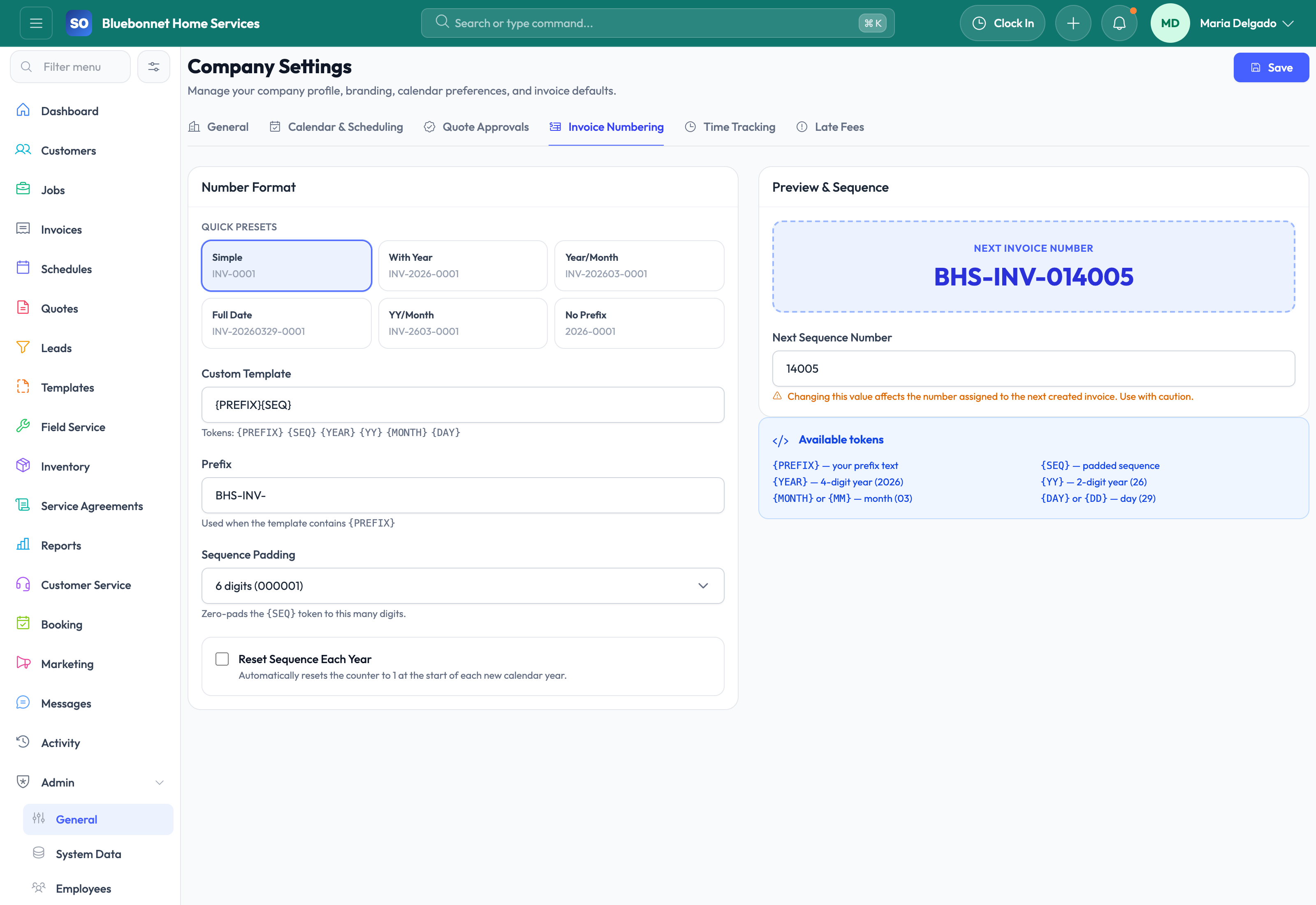
Company branding and numbering: Configure logos, numbering behavior, and customer-facing presentation defaults so output looks consistent.
Accounting and billing defaults: Manage taxes, GL accounts, mappings, payment terms, payment methods, and related financial setup.
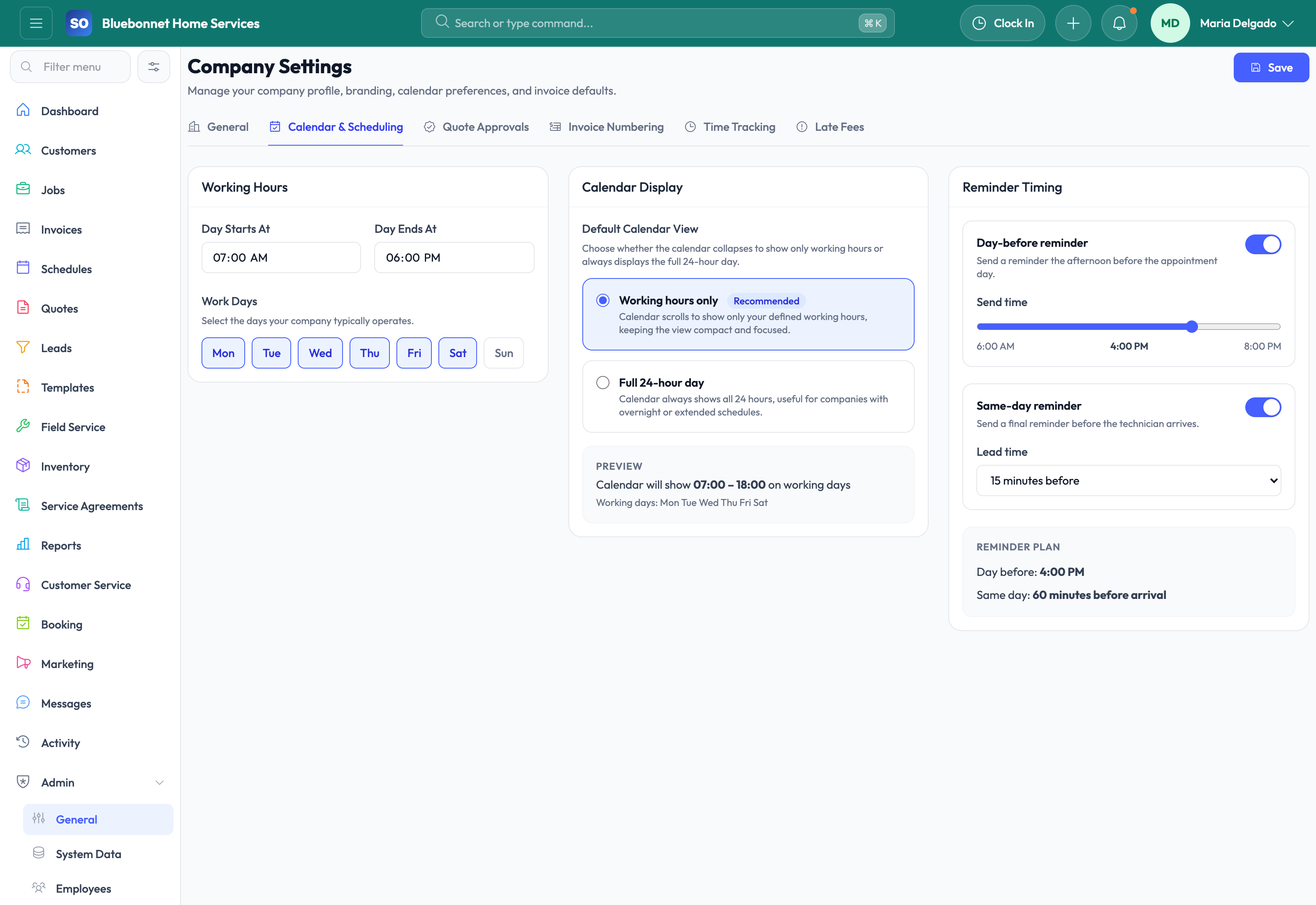
Operational settings: Configure service types, scheduling preferences, booking behavior, onboarding templates, workforce settings, and related system data.
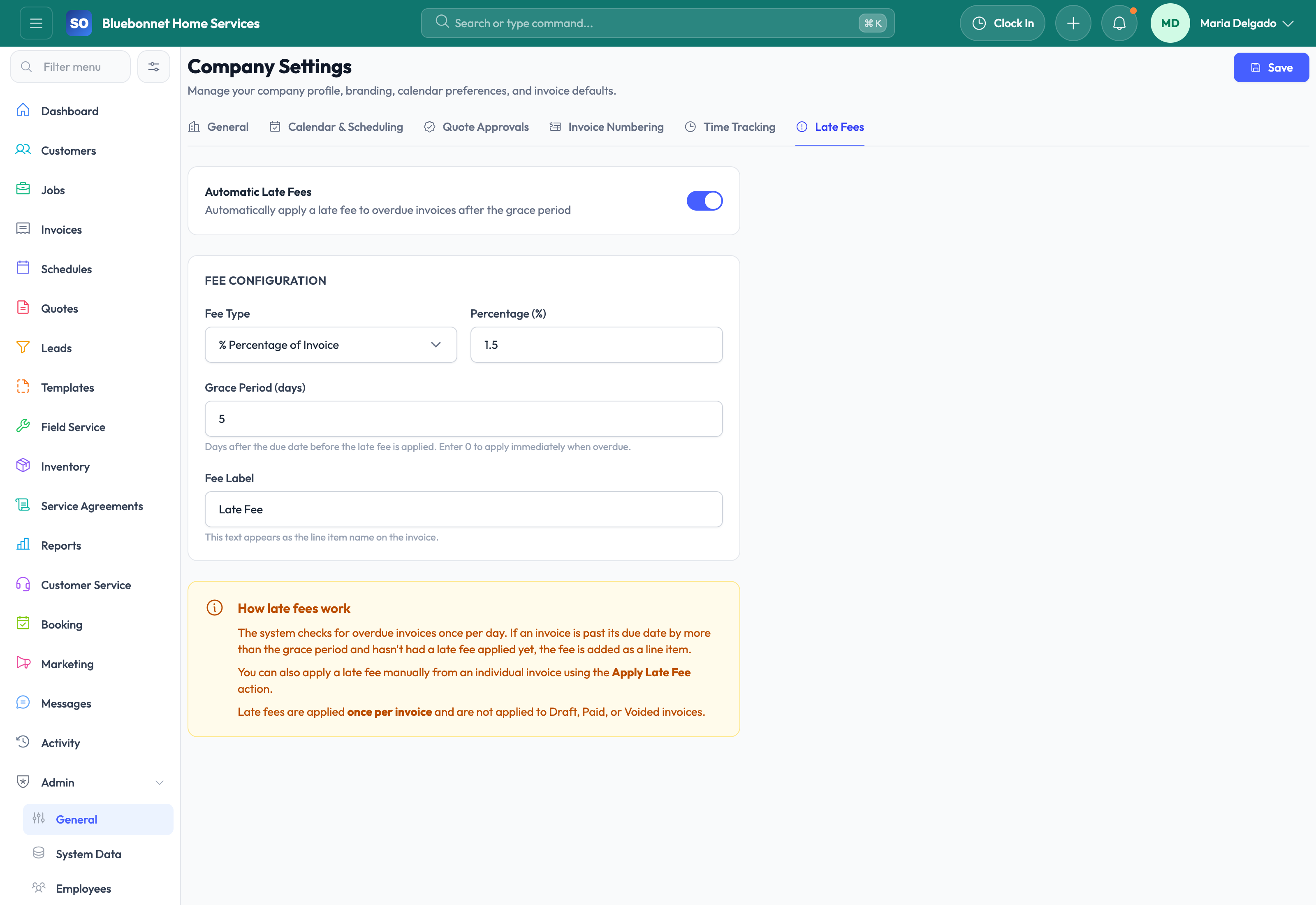
Collections and automation rules: Define dunning behavior, reminder cadence, and workflow-related policies for overdue invoices or operational follow-up.
Template and system maintenance: Maintain the reusable assets and control points that keep output consistent across the business.
Why Settings Matter More Than They Look
Settings are not just an admin checklist. They are where process quality gets baked into the platform. Strong setup reduces rework, supports better security, makes automation more trustworthy, and helps every team see the same operational reality.
Recommended Admin Setup Sequence
Company foundation: Confirm company profile, branding, timezone expectations, numbering, tax defaults, payment terms, and customer-facing contact details.
People and permissions: Set up HR & Employees, roles, teams, skills, availability, and permission boundaries before dispatchers and technicians begin daily work.
Financial controls: Review Accounting, payment settings, invoice defaults, catalog mappings, tax handling, and integration mode before live billing begins.
Automation and review: Add Workflows only after the base process is stable, then monitor changes through History & Audit.
Support Handoff Notes
For settings-related support, include the affected module, the exact setting name, the role or user impacted, and a recent example record. Configuration questions are often connected to downstream behavior in quotes, scheduling, billing, accounting, or permissions, so that context prevents back-and-forth.
Audit value: Settings changes are especially worth reviewing through History & Audit because configuration decisions can affect quoting, billing, permissions, and workflow behavior across the whole system.
User Guide
Configure the company rules, permissions, defaults, templates, and policies that shape every workflow.
Best For
Admins setting up the business account.
Managers defining operational and financial controls.
Implementation teams preparing rollout.
Before You Start
Gather company profile, branding, calendar, billing, tax, accounting, approval, and user-role decisions.
Decide which defaults are global and which should vary by team, location, or workflow.
Schedule settings changes outside peak operating hours when they affect live work.
Recommended Workflow
Review company profile, branding, locations, roles, and permissions.
Configure calendar, scheduling, quote approval, invoice numbering, time tracking, late fees, and accounting defaults.
Set templates and workflow rules that support your operating process.
Test changes using a representative customer, quote, job, and invoice.
Review audit history after major configuration changes.
Review Checklist
Settings match current operating policy before users rely on them.
Permission changes are reviewed with managers.
Financial numbering, tax, late fee, and accounting settings are tested carefully.
Configuration changes are documented for support and training.
Common Handoffs
History and Audit for change review.
Accounting for financial defaults.
Templates and Workflows for process standardization.
HR and Employees for roles, permissions, and teams.
Ready to apply this workflow?
Use the guide to evaluate fit, then start a trial or talk through how Service Opus maps to your team, trade, and current operating process.