Put the right technician on the right job at the right time without losing the day to double-booking, guesswork, or avoidable drive time.
See it in action
Scheduling is where great intentions either become profitable workdays or expensive chaos. Dispatch needs to know who is available, which jobs are urgent, where crews are headed, how long work should take, and whether customers have been notified. Service Opus is built to help the office coordinate all of that from one scheduling workspace instead of juggling a calendar, spreadsheet, and map at the same time.
Business Needs It Solves
Capacity visibility: Dispatch needs a real picture of who is available, already booked, out on time off, or overloaded.
Conflict prevention: Teams need help spotting overlap, double-booking, and unrealistic schedule plans before the day starts.
Travel and route efficiency: A full calendar is not enough if crews spend the day driving inefficient routes.
Better customer communication: Appointments need reminders, follow-up visibility, and clean status changes as the day moves.
How Service Opus Helps
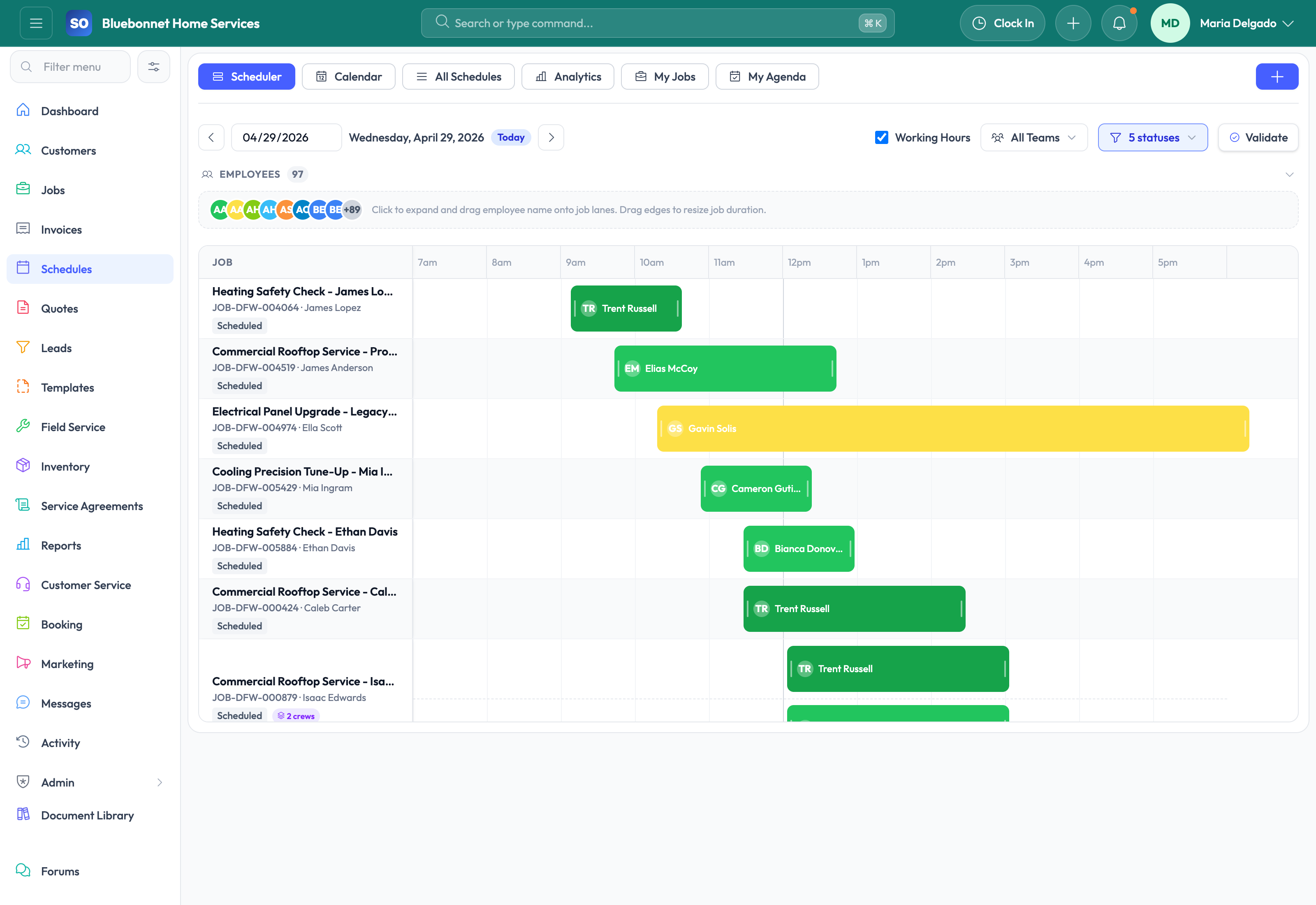
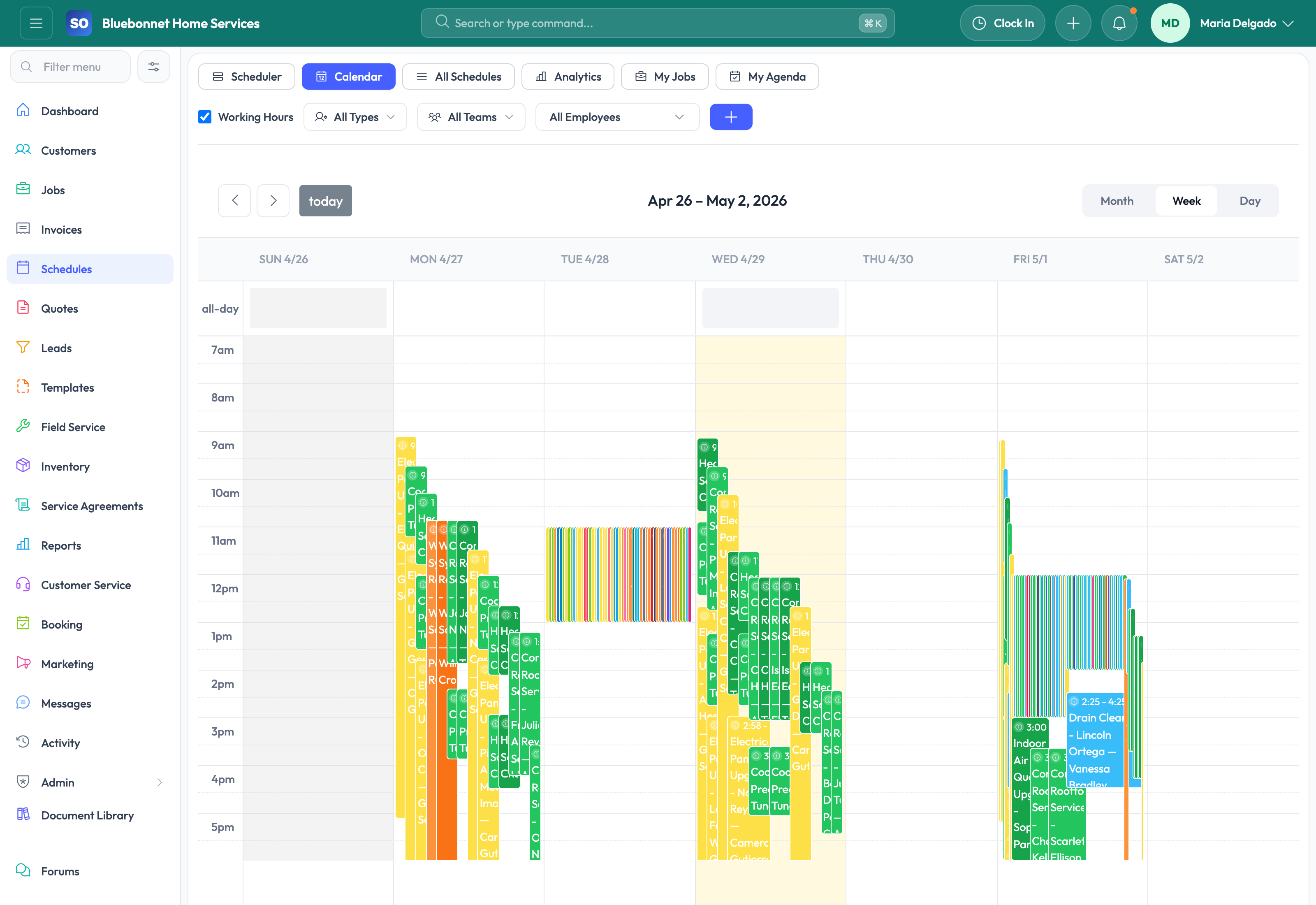
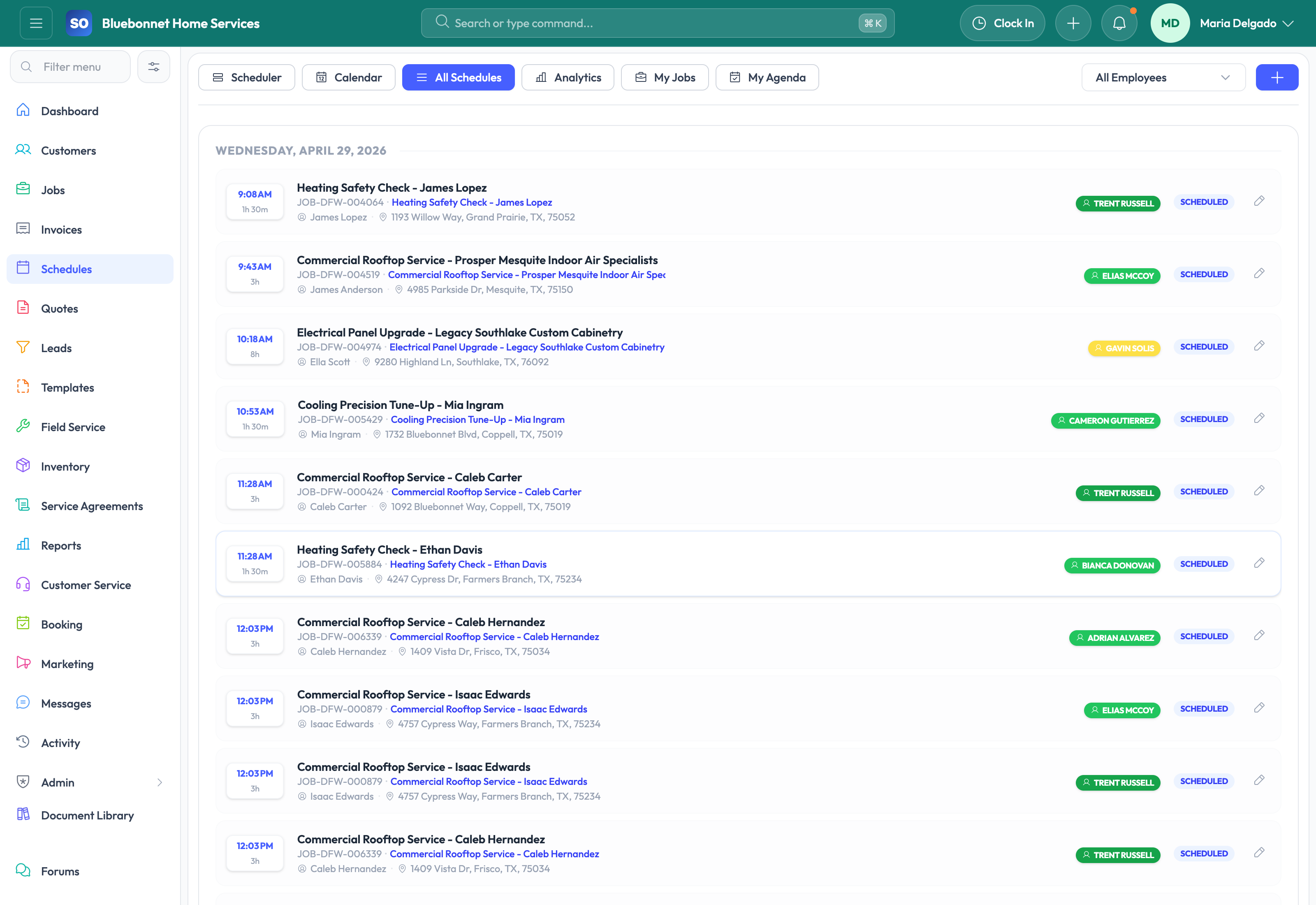
Planner, calendar, and list views: Use the dispatch board for hands-on planning, the calendar for broader visibility, and list views for operational filtering.
Drag-and-drop dispatch board: Assign work visually by moving jobs onto technician lanes and adjusting duration directly on the planner.
Recurring schedules: Support repeat visits with daily, weekly, or monthly patterns and exception handling.
Availability and conflict checks: Scheduling preferences, working hours, and time-off data help prevent obvious assignment conflicts.
Route optimization: Compare stop order, travel flow, and mapping context so technicians spend more time doing work and less time driving between jobs.
Customer reminders: Appointment reminder emails, manual reminder triggers, and notification history help the office keep customers informed.
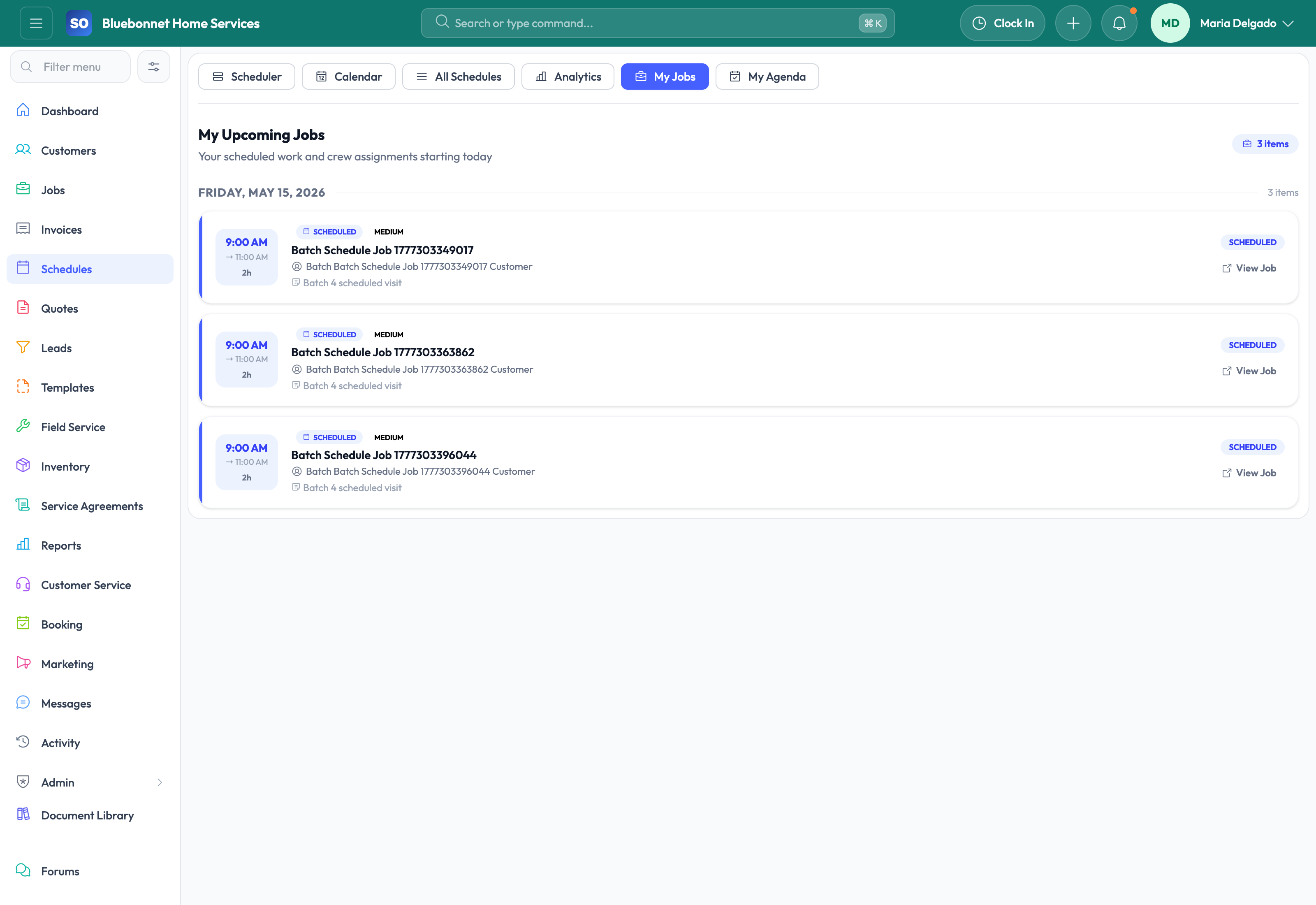
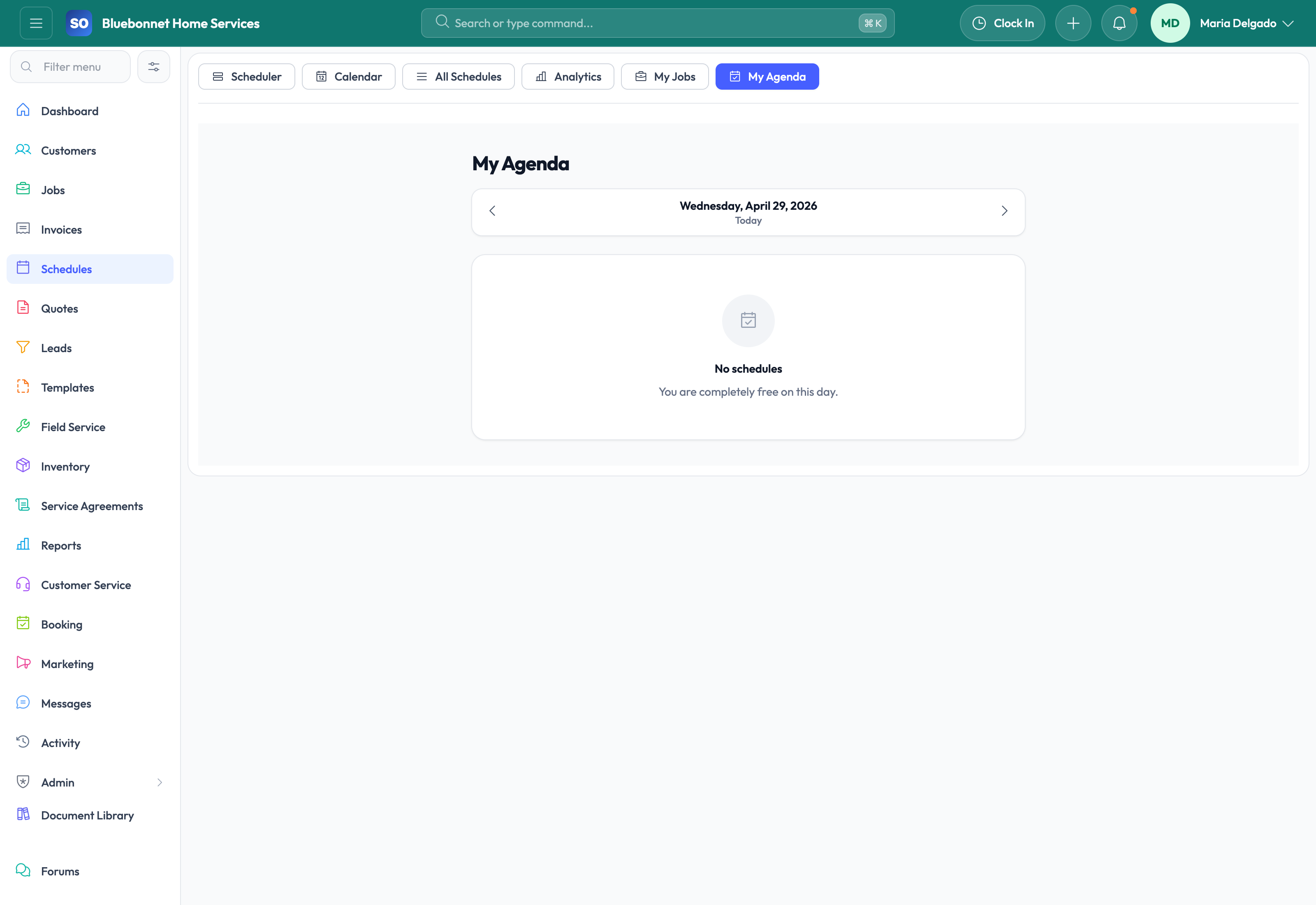
Technician-friendly views: Mobile agenda and technician-focused views make it easier for field staff to see their own day without sorting through the whole company board.
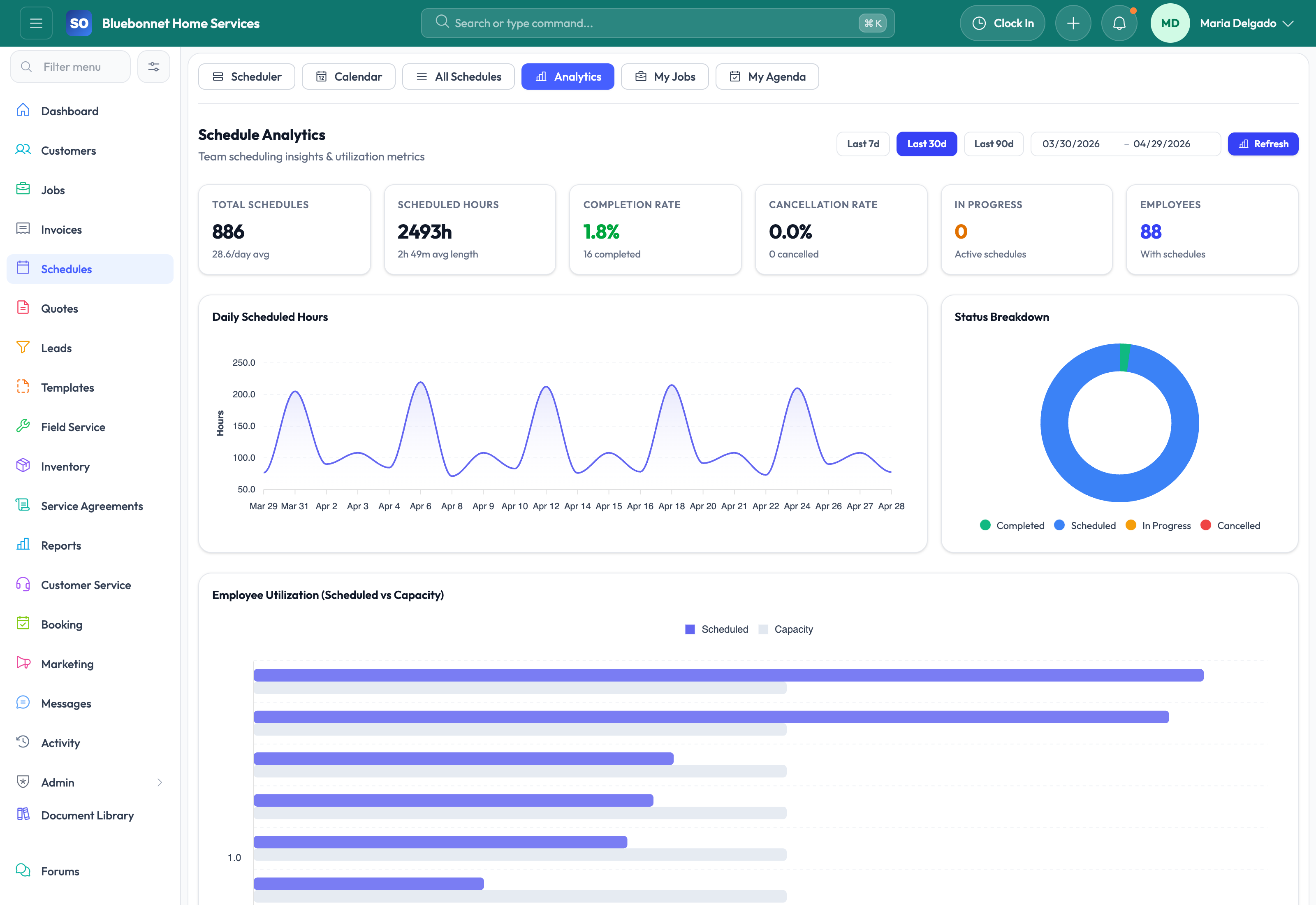
Scheduling analytics: Review utilization, on-time performance, completion trends, and overtime signals to improve dispatch decisions over time.
What Strong Scheduling Looks Like in Practice
When teams adopt the scheduling tools well, dispatch spends less time firefighting and more time balancing the day intentionally. Service Opus is especially helpful for companies that are growing beyond a single dispatcher, managing multiple technicians, or trying to tighten first-time service delivery across a larger territory.
Closest related guides: Pair Scheduling with Job Management for full work-order execution, Field Service for technician experience, and Time Tracking for labor visibility after the visit is complete.
User Guide
Build a schedule that balances urgency, skill fit, travel, availability, and customer expectations.
Best For
Dispatchers assigning technicians and crews.
Service managers reviewing capacity and utilization.
Technicians checking assigned work and agenda changes.
Before You Start
Maintain employee skills, working hours, time off, territories, and crew availability.
Keep job priority, estimated duration, service location, and required skill data current.
Define rules for same-day changes, customer confirmations, and schedule locks.
Recommended Workflow
Review unscheduled, urgent, and follow-up work first.
Match each appointment to technician skills, availability, location, and route sequence.
Use calendar, scheduler, and list views to resolve conflicts.
Confirm appointment details and customer communication needs.
Monitor the day for status changes, delays, and new emergency work.
Close the loop by checking completion, time tracking, and job follow-up.
Review Checklist
No appointment is missing a technician, customer, location, or time window.
Travel-heavy schedules are reviewed before dispatch.
Technicians can see job context before arrival.
Reschedules and cancellations are reflected in related customer and job records.
Common Handoffs
Jobs for work-order execution.
Field Service for technician workflow.
HR and Employees for availability and skills.
Time Tracking for labor capture after work starts.
Ready to apply this workflow?
Use the guide to evaluate fit, then start a trial or talk through how Service Opus maps to your team, trade, and current operating process.