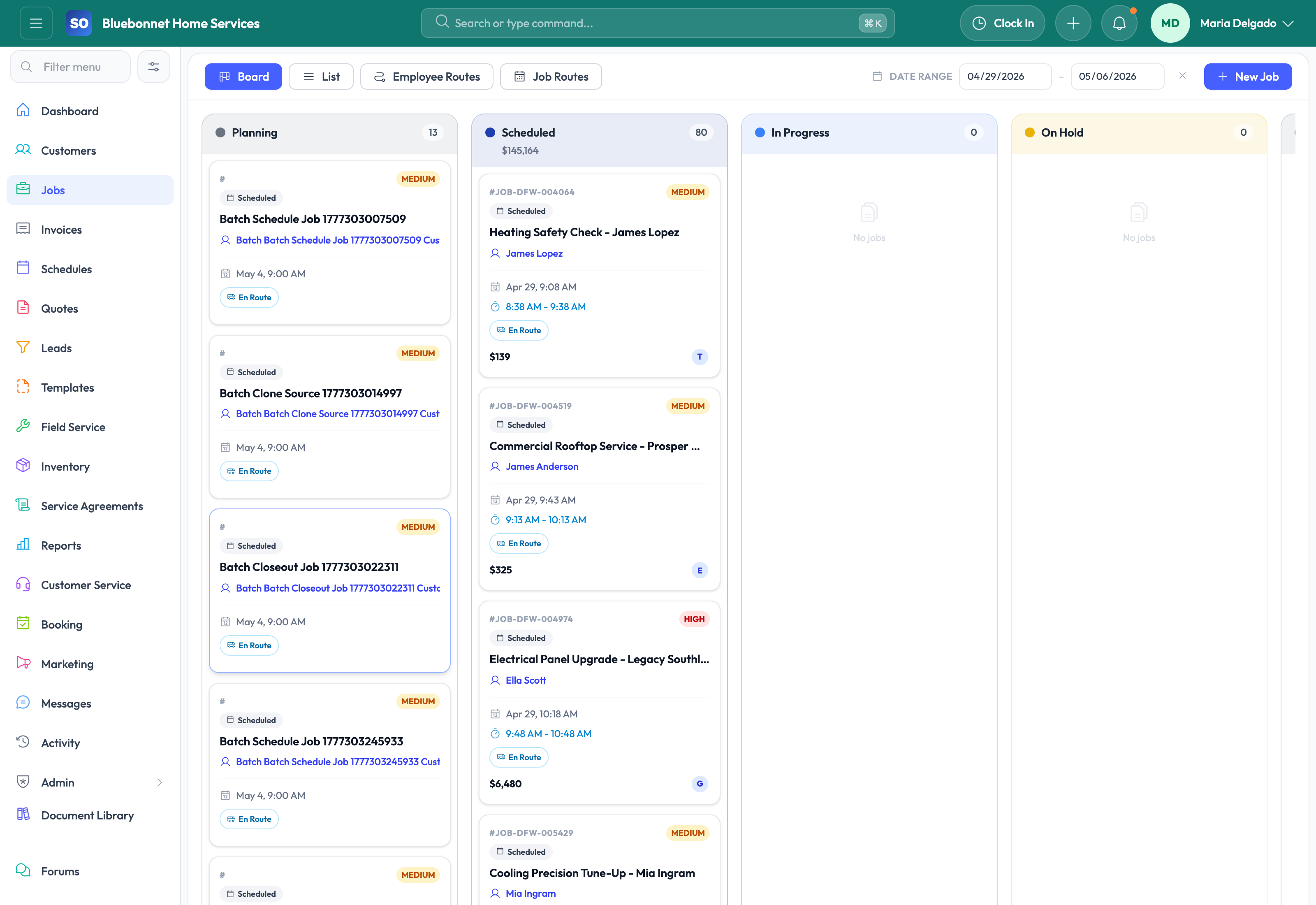
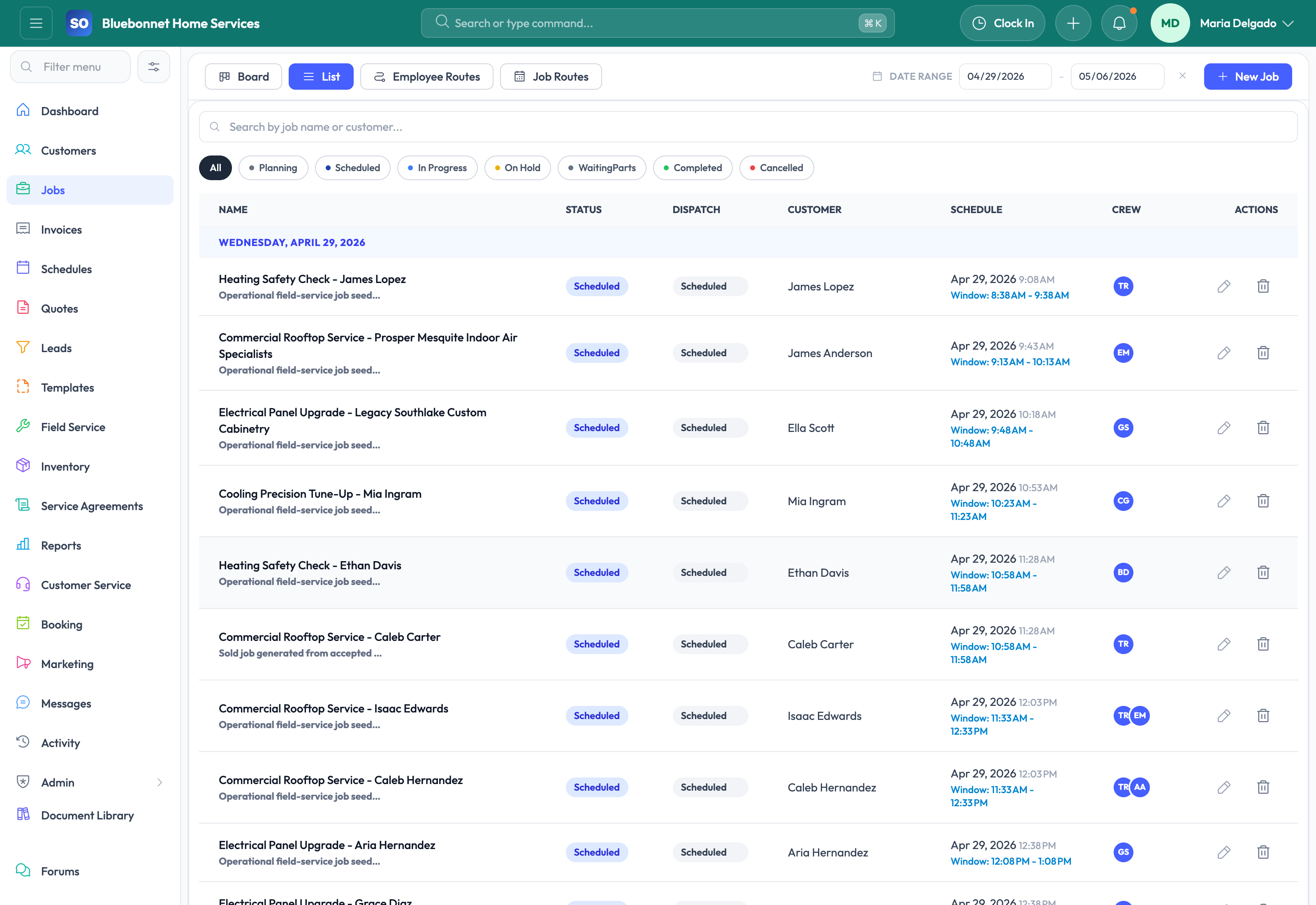
Run the entire job from one record, from sold work and dispatch planning through field execution, proof of completion, and billing handoff.
See it in action
For a trades business, the job record is where the promise to the customer becomes actual work. If the job workspace is weak, the office cannot see progress, technicians miss context, materials fall through, and billing is delayed. Service Opus treats the job as a full operational command center instead of just a work-order form.
Business Needs It Solves
One operational record: Scope, crew, schedules, notes, documents, costs, customer updates, and closeout proof should all stay attached to the job.
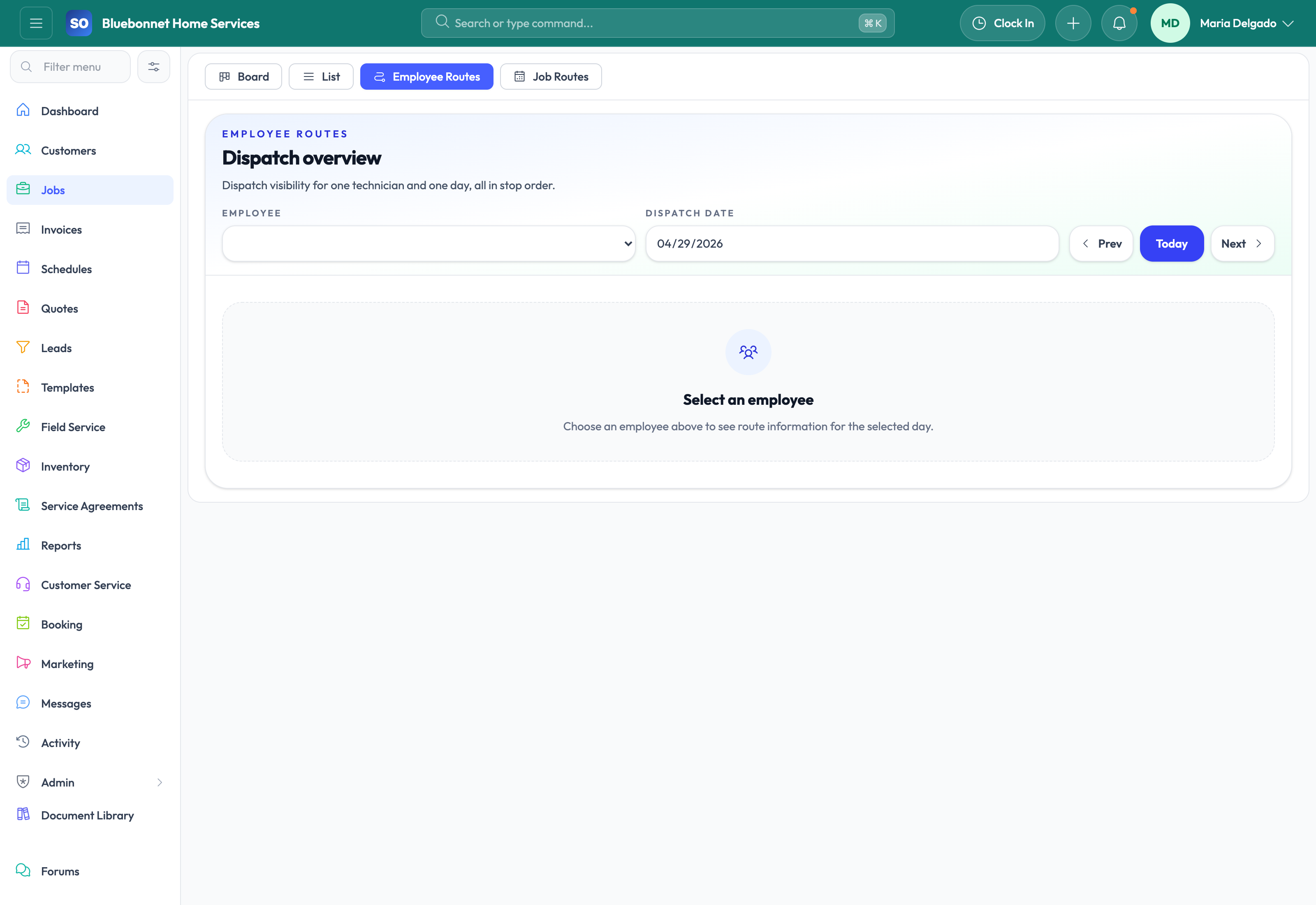
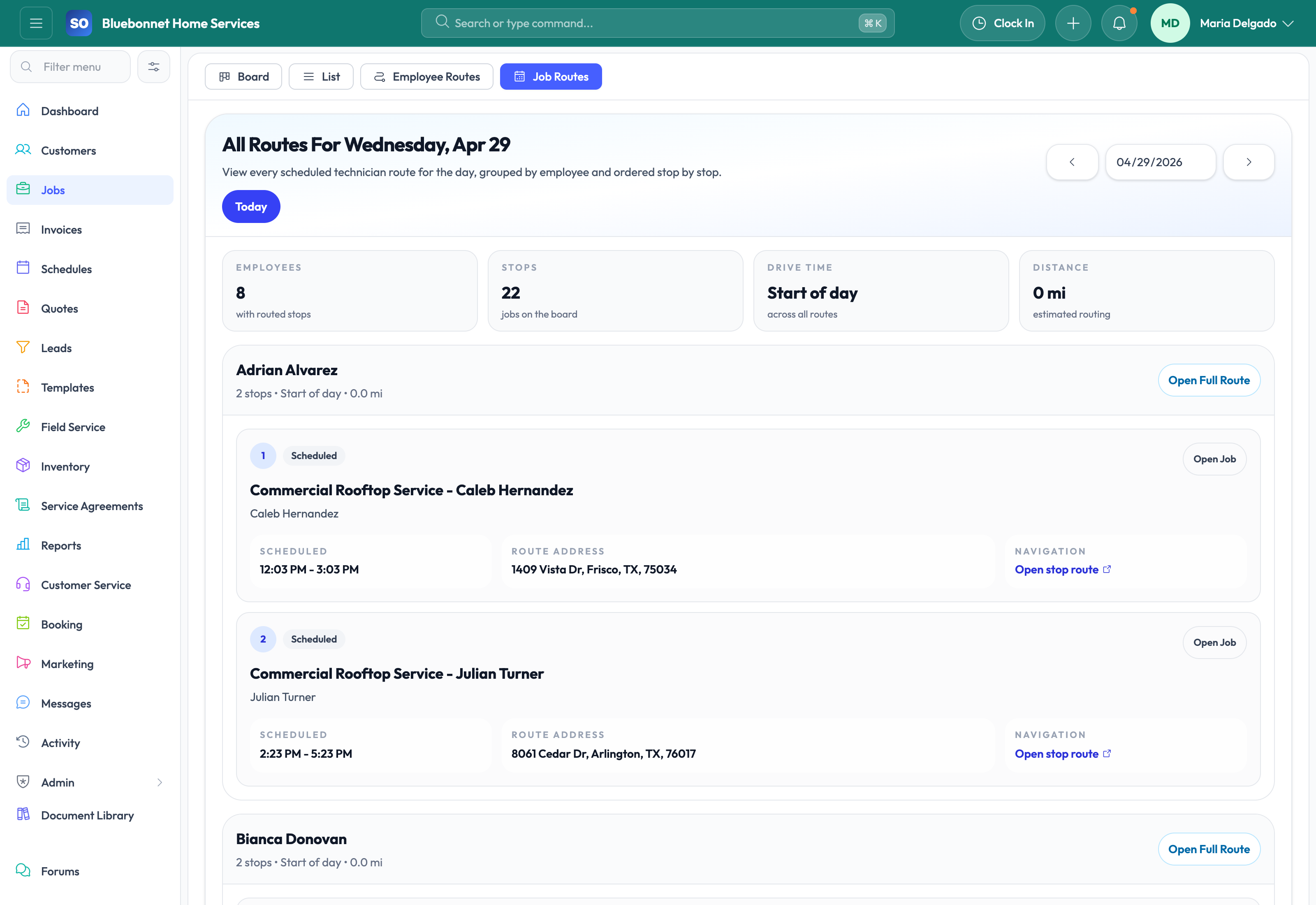
Better dispatch execution: Office teams need live visibility into assignments, route progress, arrival, departure, pause states, and exceptions.
Cleaner field-to-office handoff: Photos, signatures, checklist results, labor, materials, and completion notes should be captured before the job is considered done.
Fewer downstream mistakes: Jobs need to connect cleanly to invoices, payments, purchase orders, and customer-facing updates without duplicate entry.
How Service Opus Helps
Multi-tab job workspace: Jobs can carry details, line items, crew and schedules, documents, purchase orders, invoices, payments, incidents, time, notes, messages, dependencies, signatures, quality, and financial summaries.
Board and list visibility: Office users can manage jobs through dashboard, board, and list views with search, filters, quick info, and status control.
Crew guidance and scheduling: Required skills, crew suggestions, schedule views, and arrival windows help dispatch assign the best team with more confidence.
Dispatch execution tracking: Track scheduled, en route, arrived, working, paused, departed, and completed states with timeline visibility and route-aware day-of-service actions.
Customer communication and portal support: Jobs can generate portal links, trigger on-the-way and arrival communications, and surface customer-facing progress updates and approval requests.
Material readiness and purchasing context: Inventory-backed line items, purchase orders, reservations, and readiness summaries help the office see whether a job is blocked by parts.
Closeout and proof of work: Use checklists, photos, signatures, quality capture, labor review, and completion blockers so work is not marked done until the right evidence is in place.
Workflow automation: Job workflow rules can raise alerts, create follow-up tasks, enforce artifact requirements, and support recurring or agreement-driven work generation.
What This Means Operationally
When jobs are managed well inside Service Opus, dispatch sees the day more clearly, technicians have better context, office follow-up is faster, and invoicing happens with less chasing. This module is especially valuable for companies that want stronger coordination between office, field, and accounting without stitching together several systems.