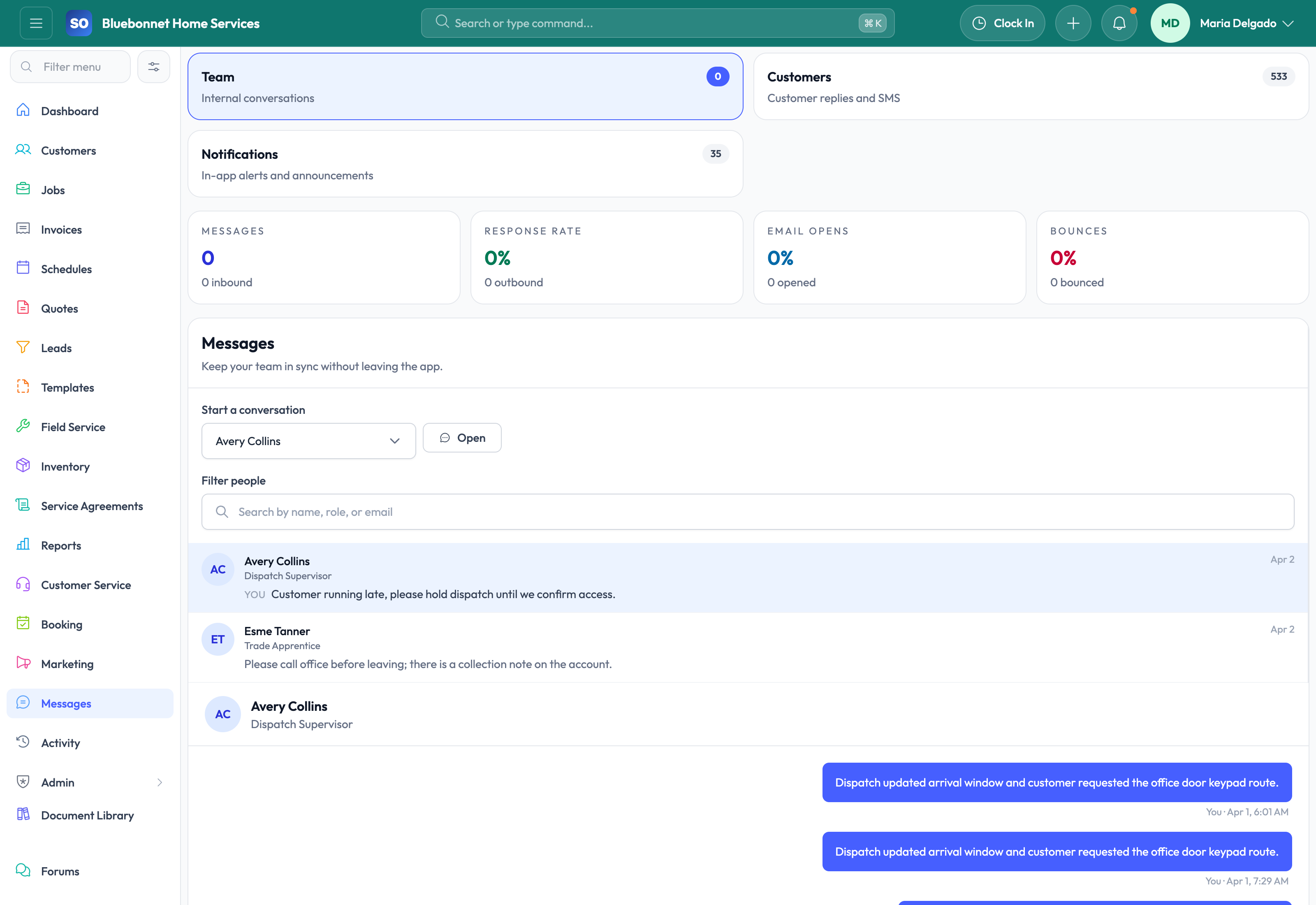
Keep customer updates, reminders, receipts, and internal job messaging tied to the work instead of buried in disconnected inboxes.
See it in action
Communication usually breaks down when a message is sent from the wrong place, no one can see the history later, or the office has to manually recreate the same reminder, receipt, or status update over and over. Service Opus is strongest today in operational email delivery and job-centered messaging, helping teams keep more communication attached to the underlying record.
Business Needs It Solves
Consistent customer communication: Quotes, invoices, reminders, and receipts need to go out with the right branding and context.
Internal alignment: Field and office staff need message history on the job instead of separate chat threads and informal updates.
Operational reminders: Appointment reminders and payment follow-up should be sent from the workflow, not from memory.
Communication traceability: Teams need a record of what was sent and when, especially on customer-facing financial messages.
How Service Opus Helps
Branded email workflows: Send quotes, invoices, payment reminders, and receipts through structured email actions tied to the record.
Schedule reminders: Appointment reminder emails and related notification history help reduce no-shows and confusion.
Job message threads: Keep in-app conversation history attached to the job so office and field teams can coordinate in context.
Financial communication support: Payment receipts, invoice emails, reminder runs, and collection-related communication stay closer to receivables workflows.
Announcements and team communication: Support internal announcements and employee-to-employee messaging where broader team alignment matters.
Preference-aware outreach: Communication settings and customer preferences help teams avoid sending the wrong kind of outreach to the wrong audience.
Where Communication Is Strongest Today
Service Opus currently shines most in operational email delivery, appointment reminders, receipts, and job-thread messaging. That makes it valuable for service businesses that want communication history attached to the work itself instead of relying only on external inboxes or texting habits.
Customer experience: Use customer contact preferences and record-linked communication history before sending reminders, statements, receipts, and service updates.
User Guide
Maintain customer-facing and internal communication history around the work being done.
Best For
Office users sending confirmations, reminders, receipts, and follow-up.
Dispatchers coordinating schedule changes.
Managers reviewing what was communicated and when.
Before You Start
Set communication templates, sending rules, and ownership expectations.
Confirm customer contact preferences and opt-out requirements.
Define which messages should be linked to customers, jobs, quotes, or invoices.
Recommended Workflow
Start from the customer, job, quote, invoice, or communication workspace.
Choose the right contact and message template when available.
Send updates for confirmations, reminders, quote follow-up, invoice delivery, or service changes.
Review message history before making promises or escalating issues.
Record internal coordination notes where they help the next team member.
Review Checklist
Messages go to the correct contact role.
Customer-facing content is accurate and professional.
Important responses are visible on the related operational record.
Follow-up promises become tasks, leads, jobs, or schedule changes.
Common Handoffs
Customers for contact and preference data.
Scheduling and Dispatch for appointment updates.
Quotes and Invoicing for customer-facing documents.
Templates for reusable content.
Ready to apply this workflow?
Use the guide to evaluate fit, then start a trial or talk through how Service Opus maps to your team, trade, and current operating process.