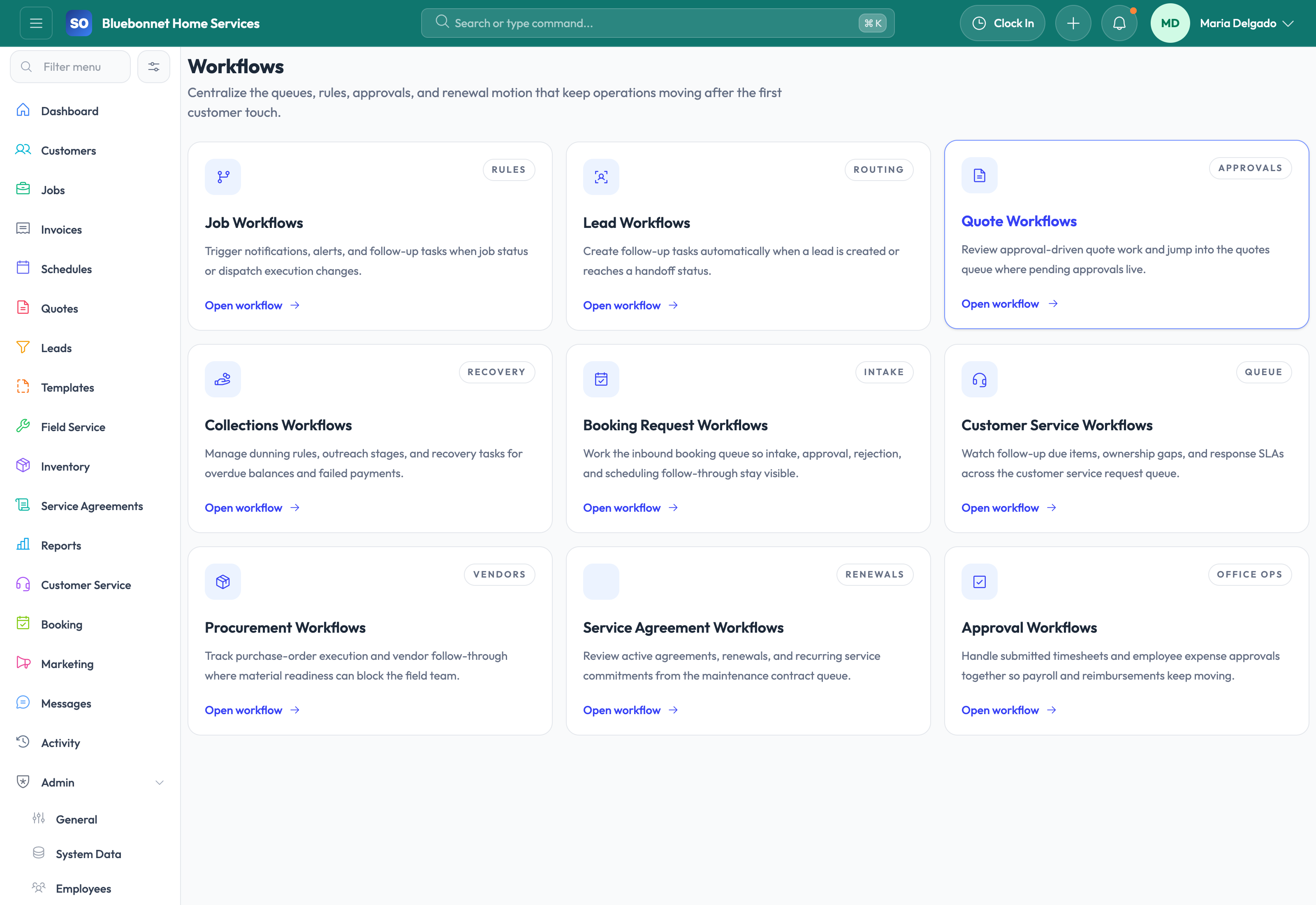
Automate the repetitive follow-up, alerting, routing, and process enforcement that usually depends on someone remembering to do it.
See it in action
Most service businesses do not need abstract automation for its own sake. They need a way to make sure leads get followed up, overdue jobs trigger action, missing closeout proof blocks completion, collections runs happen on schedule, and common reminders do not rely on one diligent employee. Service Opus focuses workflows on those practical operating problems.
Business Needs It Solves
Missed handoffs: Leads, jobs, and receivables should keep moving even when teams are busy.
Process inconsistency: Key rules such as required artifacts, aging alerts, and ownership gaps need system enforcement.
Faster exception visibility: Dispatch and office teams need alerts when work is late, uncovered, blocked, or waiting on follow-up.
Reduced manual admin: Repetitive reminder, routing, and follow-up tasks should not consume the whole day.
How Service Opus Helps
Lead workflows: Route new inquiries, create follow-up tasks, and keep pipeline activity moving based on lead events and status changes.
Job workflow rules: Trigger alerts, create tasks, enforce required closeout artifacts, react to dispatch execution changes, and escalate aging or assignment gaps.
Collections automation: Use dunning rules, reminder runs, and collection task sequencing to keep overdue invoice follow-up structured.
Marketing automations: Support review requests, referral asks, retention reminders, and related customer follow-up tied to real operational signals.
Operational guardrails: Make important business rules visible inside the workflow instead of relying on team memory or side lists.
How to Think About Workflow Value
The best workflow automation usually starts with the few moments where delays are most expensive: new lead response, uncovered jobs, missing completion proof, and overdue balances. Service Opus is well suited to those operational bottlenecks because the automation is connected to the same records your team already uses daily.
Start small: Begin with the highest-friction handoffs first, then expand automation after the team trusts the alerts, task creation, and process enforcement.
User Guide
Automate repeatable alerts, assignments, reminders, and status-based actions without losing human control.
Best For
Admins and operations managers defining repeatable process rules.
Dispatch, sales, and billing teams receiving automated prompts.
Owners reducing missed follow-up and manual handoffs.
Before You Start
Identify trigger events such as lead status, job status, invoice aging, agreement renewal, or checklist result.
Define the action, owner, timing, message, and exception path.
Start with high-value workflows before automating edge cases.
Recommended Workflow
Choose the business event that should trigger the workflow.
Set conditions so the workflow applies only to the right records.
Define actions such as notification, task creation, owner assignment, or message send.
Test the workflow on sample records before broad use.
Review workflow results and adjust when alerts become noisy or incomplete.
Review Checklist
Every workflow has a clear owner and business purpose.
Automated actions do not conflict with manual review policies.
Failed or skipped actions are visible for follow-up.
Rules are reviewed after process, staffing, or compliance changes.
Common Handoffs
Leads for sales follow-up automation.
Jobs and Scheduling for status and dispatch alerts.
Invoicing and Payments for collection reminders.
Compliance for expiration and risk notifications.
Ready to apply this workflow?
Use the guide to evaluate fit, then start a trial or talk through how Service Opus maps to your team, trade, and current operating process.